
Guide
How to write Reddit monitoring rules
Updated 3 October 2026
In short
Write each Reddit monitoring rule in Redwatcher as one or two plain sentences that name a specific kind of thread to ignore or to put first. Start from the rules Redwatcher suggests, and say who has to be asking for a thread to count. When a score is wrong, you say what was wrong and it becomes a rule.
Redwatcher is a Reddit monitoring tool. Tracks keywords, brand mentions and competitors across the subreddits you choose, scores every match for relevance, and alerts by email, Slack, Telegram or webhook around the clock. From $29/month per project. A scoring rule is an instruction, written in plain words for one project (one brand, or one client if you are an agency), that changes how the new posts and comments that match that project's keywords are scored. Where a rule covers a thread, it decides the score, and so whether the thread reaches the score you set, the lowest score from 0 to 100 that a thread needs before Redwatcher sends it to you.
RedwatcherReddit monitoring, every match scored
 Redwatcher
Start free Seven days, no card. From $29 a month after. See pricing
What does a scoring rule do in Redwatcher?
A subreddit is one of Reddit's communities, such as r/smallbusiness. A keyword is a word or phrase you ask Redwatcher to look for, such as your brand name or a topic you sell into. A match is a new post or comment in one of your subreddits that contains one of your keywords, and a thread is a post together with the comments under it. Redwatcher scores every match from 0 to 100 for how closely the thread fits what you want to hear about, with the reasons written under the score.
When no rule covers a thread, Redwatcher judges how relevant it is to what the project tracks, which is why a project with no rules still gets scores. A project has its own keywords, subreddits, rules and alert channels. A rule written for one project never changes another project's scores.
Should you write a rule or add a word to ignore?
Add a word to ignore when every thread containing that word is wrong for you, and write a rule when the same words appear in threads you want and threads you do not. A word to ignore drops every thread containing it before scoring, without saying why. A rule says why, so it can tell apart two threads that use the same words, and keeping single-word cases as words to ignore keeps the rule list shorter.
Which kinds of rule change a score? Examples for one project
The rules that change a score say what kind of thread it is and who wrote it. Your keywords already pick out every thread that mentions your topics, so a rule that only repeats a topic from the keyword list, such as put threads about email marketing first on a project that tracks "email marketing", has nothing left to change. The examples below are made up for Acme, an example email marketing tool. Write a rule like each one, in your own words and about your own business.
| Kind of rule | Example rule for Acme | What it separates |
|---|---|---|
| Someone choosing now, or someone writing about it afterwards | Put first threads where the author is choosing an email tool for their own business. Ignore case studies and "how we grew our list" posts. | Someone deciding now from someone telling a story |
| Someone asking, or someone answering | Don't show me comments where the author is answering someone else's question about email tools. | The person with the problem from the person helping them |
| The wrong sense of your words | Ignore threads about physical mail or postal marketing. | Your meaning of a word from another one |
| Neighbouring fields | Ignore threads about SMS marketing and cold-email outreach tools. | Fields that share your words and are not your business |
| Who it is not for | Ignore job posts and threads from people hiring an email marketer. | People who can never use what you offer |
Step 1: Start from the rules Redwatcher suggests
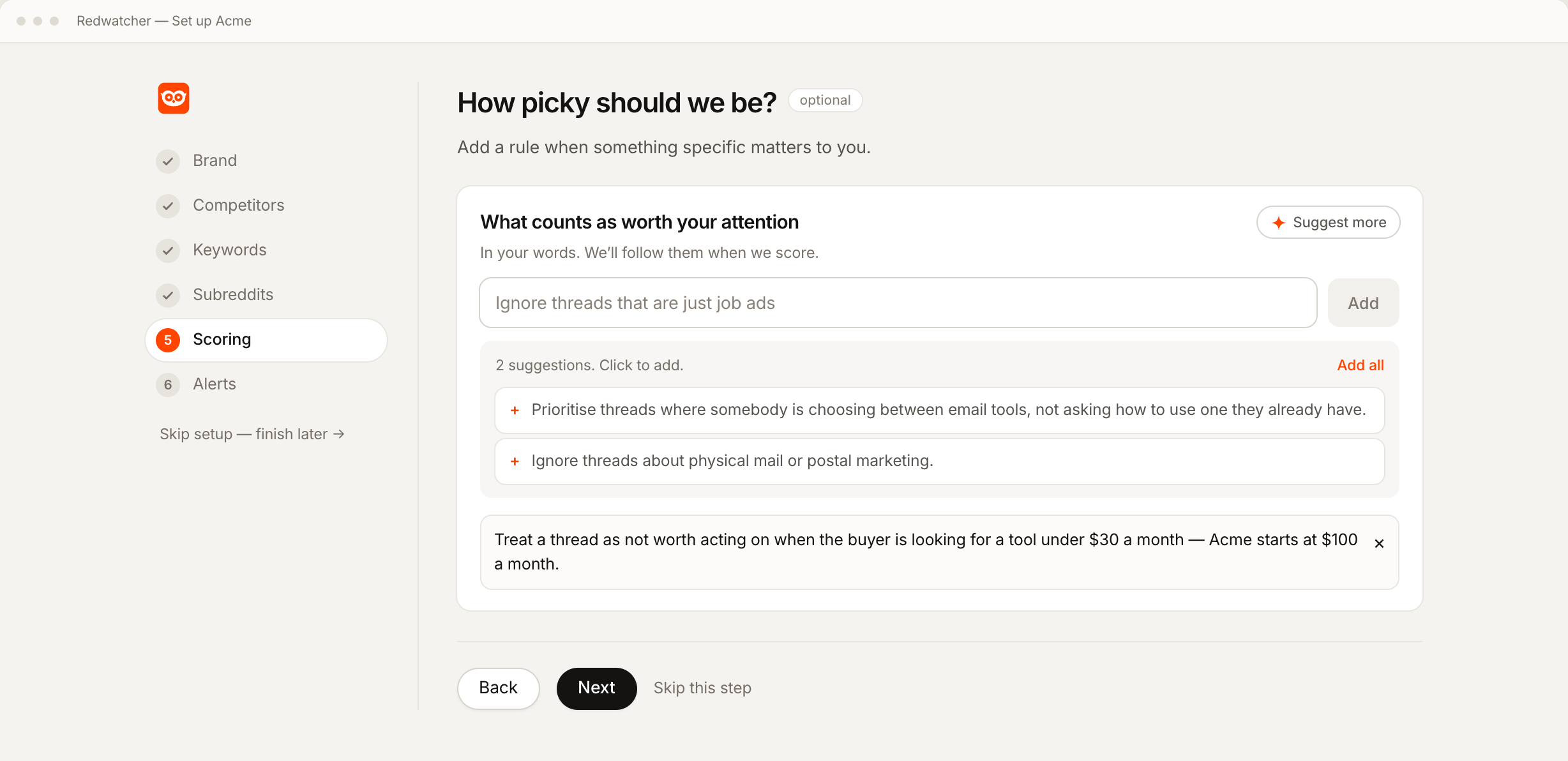
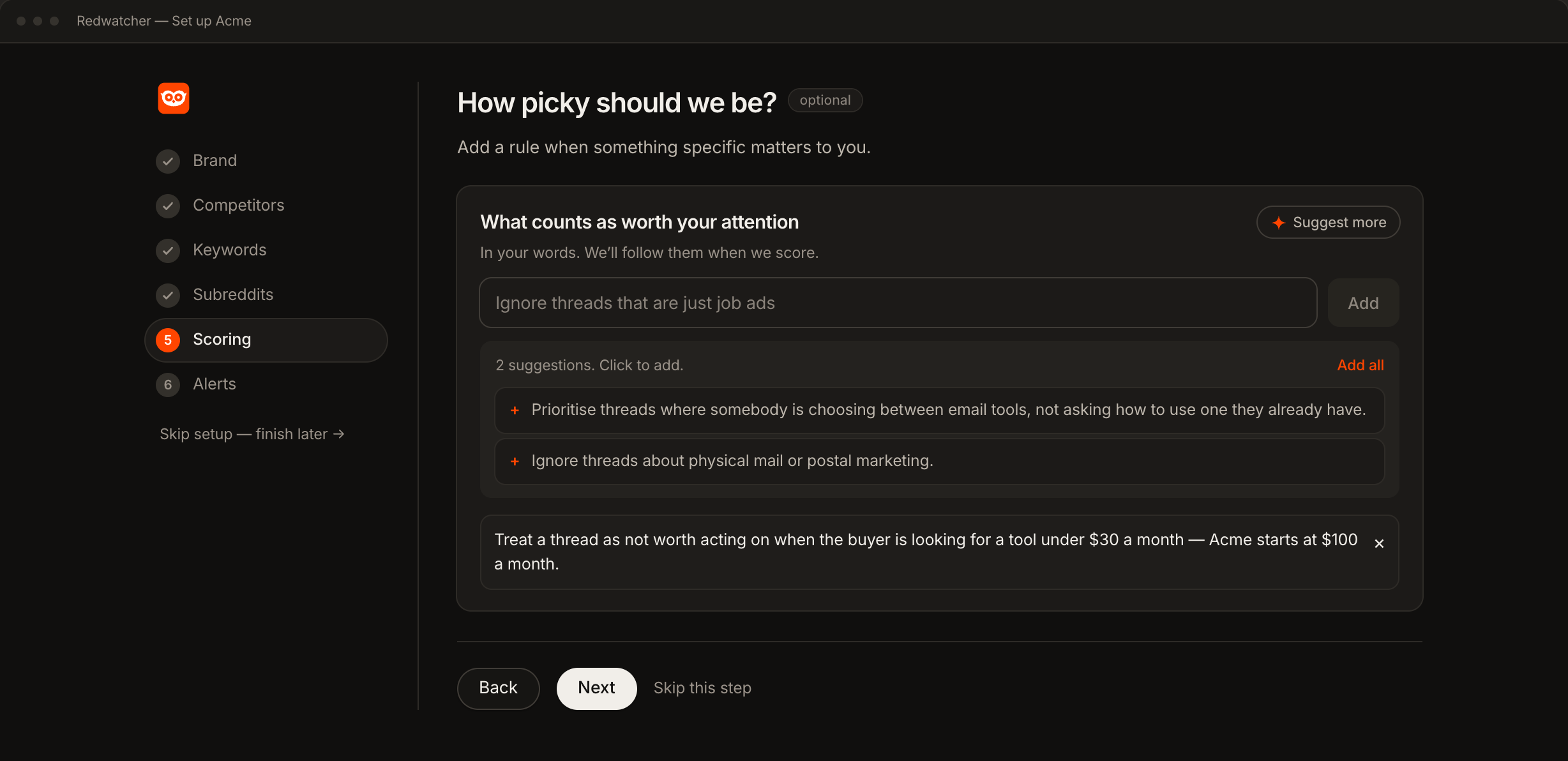
In the Scoring step of setup, or the Scoring section of the Setup screen once the project exists, press Suggest rules under What counts as worth your attention, and Redwatcher proposes rules drawn from your site and from what the project tracks. The Setup screen is the page in the app where a project's keywords, subreddits, rules and alerts are edited. Click one to add it, or press Add all.
Read every suggestion before you keep it. Remove any suggestion that does not fit your customers, since it was drawn from your website and not from them.
Step 2: Write down what to ignore
Start by ignoring the threads that use your words and can never be worth a reply: the wrong sense of a word in your name, fields next to yours that share its vocabulary, and job posts. Type each rule in the box and press Add.
Be specific. Ignore irrelevant threads does not say which threads to ignore, because every thread looks relevant to something. Ignore threads about physical mail or postal marketing names the case, so a thread that matches it is easy to recognise. A good test is whether the rule would read sensibly on somebody else's project. If it would, it is too vague to change your scores.
Write rules without numbers. Redwatcher reads plain words such as don't show me, these matter most and ignore, and you will be the one rereading and editing them later.
Step 3: Say who has to be asking before a thread goes first
A rule that puts threads first has to say whose need it is. A rule about threads where businesses are looking for an email tool also matches a consultant surveying the field, or an agency asking for opinions to write a post. Write it about the author: Put first threads where the author describes their own business and is choosing an email tool for it, not threads asking about email tools in general.
Step 4: Name who the threads are not for, only where it is true
An exclusion has to match who you actually serve. If you sell to businesses of every size, a rule such as ignore very small businesses hides the customers you want. Exclude by what a thread is about, for example a field you do not work in, and add a size, budget or region only when your own offer has that limit.
What happens when two scoring rules disagree?
When one rule would raise a thread's score and another would lower it, Redwatcher follows the rule that is more specific about that thread. Keeping each rule about one kind of thread makes the result easy to predict.
Step 5: Read the reasons, and correct the scores that are wrong
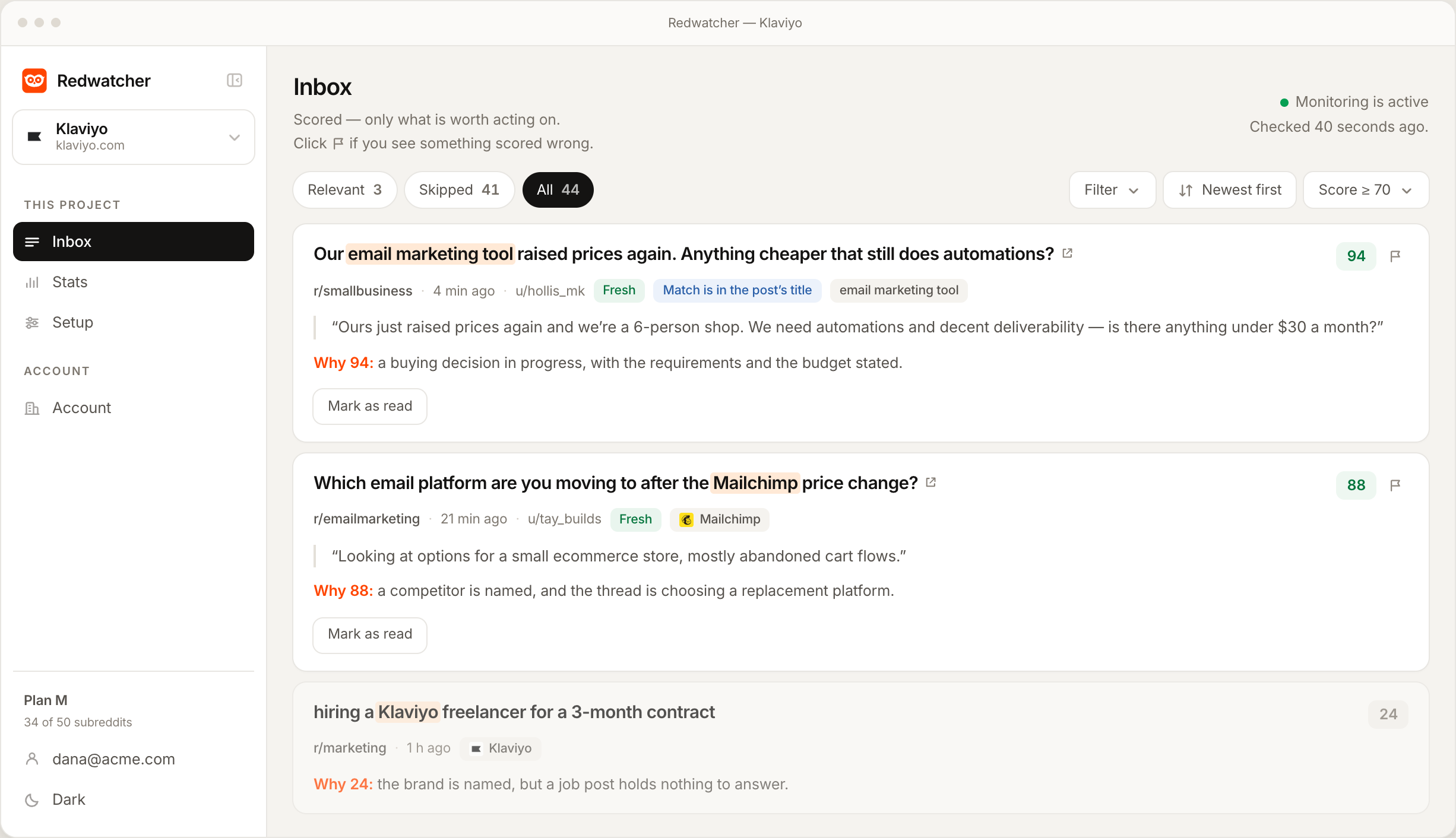
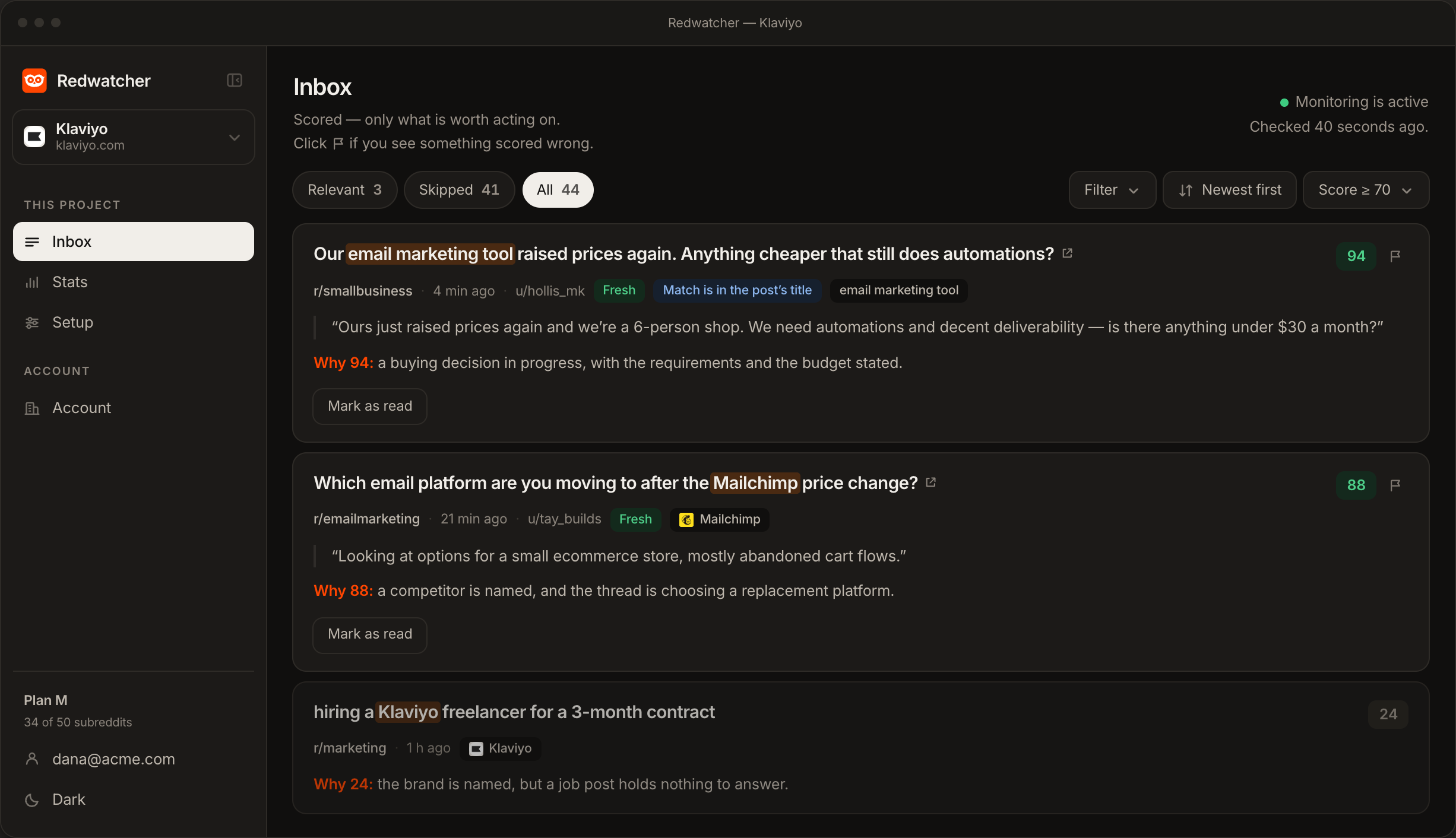
Read the reasons under each score in the inbox, the app screen that lists a project's matches, sent or not, each with its score. On the first threads that arrive, the reasons tell you how each thread was read, which shows where a rule is missing.
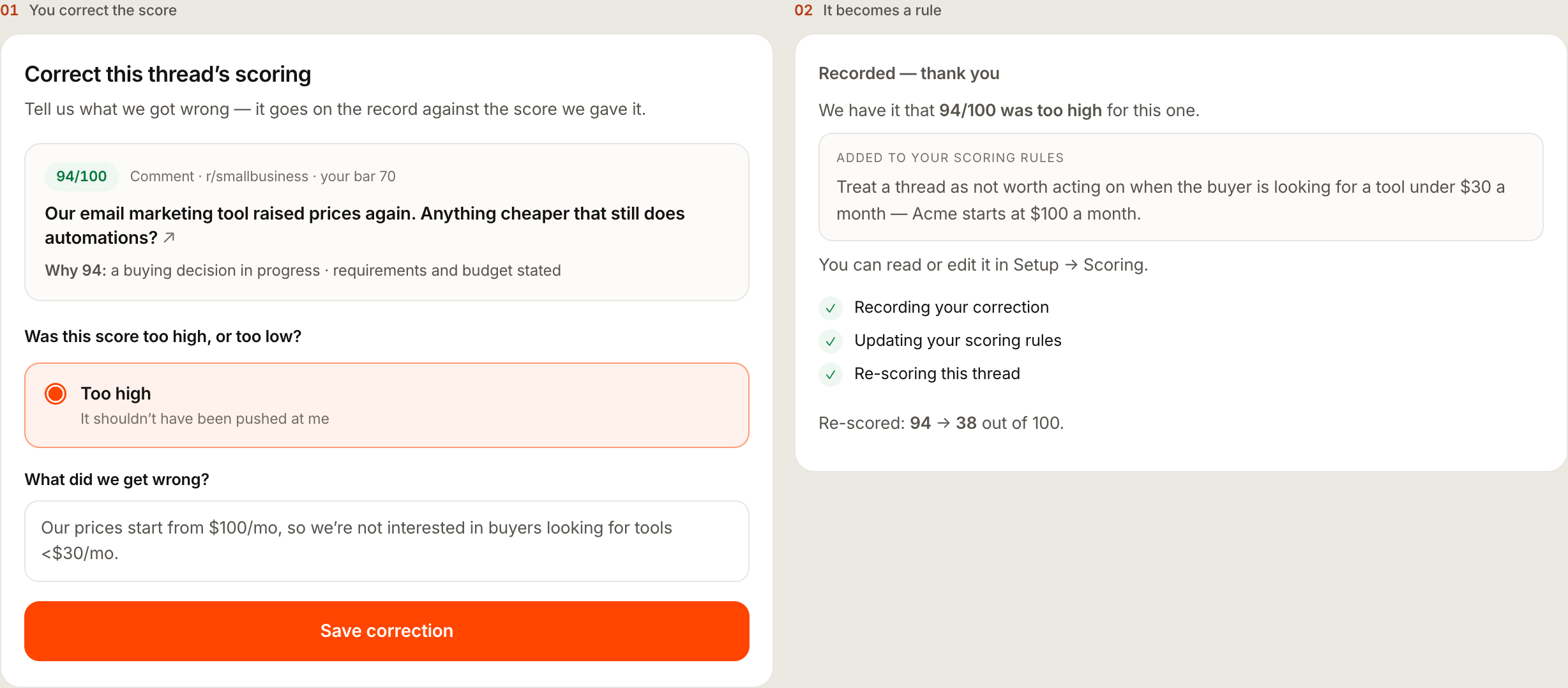
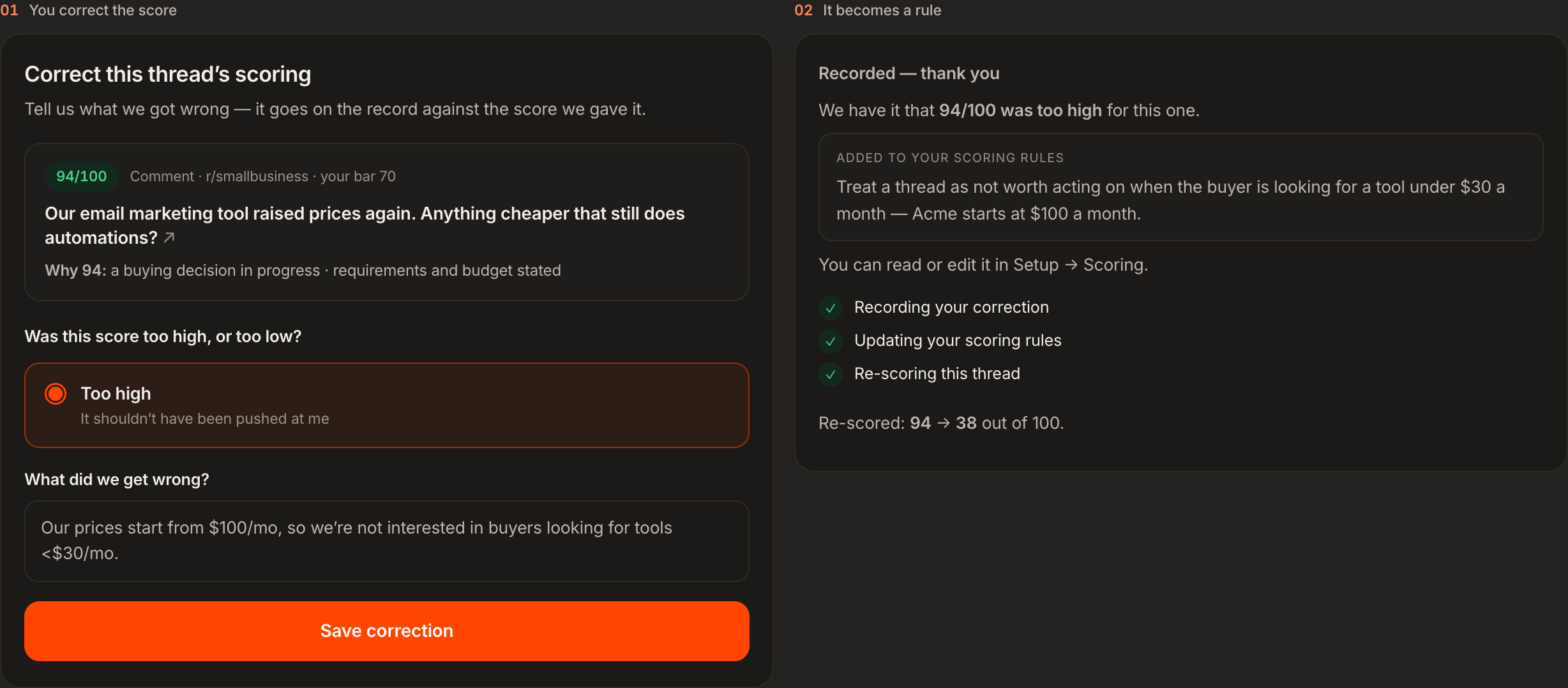
When a score is wrong, you say what was wrong and it becomes a rule. Every alert by email, Slack or Telegram carries a Wrong scoring button or link that opens a page for that thread. You choose too high or too low, and write in your own words what the score missed. Redwatcher writes a rule from it, adds it at the end of your list without touching the rules you typed, and re-scores the thread straight away. If you already have a rule that covers the case, no second copy is added and the thread is still re-scored.
Step 6: Edit the list in Setup
Every rule, typed, suggested or written from a correction, is listed in the Scoring section of the Setup screen, where each one can be read in full, edited or removed. A rule written from a correction is worth rereading, because it is the one you did not type yourself. Every later match is judged against the list as it stands.
What should you do with your rules in the first week?
Day one is often quiet, because Redwatcher reads new threads from the moment setup finishes.
At the end of the first week, go through the list once and merge two rules that say the same thing.
Do scoring rules cost extra, and is there a free way?
Scoring rules, suggestions and corrections that become rules are on every Redwatcher plan at no extra charge, and Redwatcher has no free plan, so the free way to sort Reddit threads is reading the subreddits yourself. Redwatcher costs $29 a month per project for 25 keywords and 25 subreddits, $49 for 50 of each, and $89 for 100 of each, and every project starts with a seven-day trial that takes no card. Every plan includes every feature and all four alert channels: email, Slack, Telegram and a webhook, which is a message sent to a web address you give. Team members are free, and there is no charge per mention. Prices from redwatcher.com/pricing, read on 3 October 2026.
How this guide was checked
Redwatcher wrote this guide about its own product. On 3 October 2026 we read the Scoring step of setup and the Scoring section of the Setup screen, the page where a wrong score is corrected, and the prices on redwatcher.com/pricing. The example rules are made up for an example project called Acme, and the screenshots are Redwatcher's own screens with example data. We did not measure how much any rule changes a score, and the guide gives no figures about scoring. We read no Reddit page for this guide, and it makes no claim about Reddit's own settings.
RedwatcherReddit monitoring, every match scored
Start free Seven days, no card. From $29 a month after. The full setup guide
Reddit monitoring rules: questions people ask
What is a scoring rule in Redwatcher?
A scoring rule is an instruction written in plain words for one project, saying which Reddit threads matter to you and which do not. Redwatcher scores every match from 0 to 100 against those rules, with the reasons under the score, and sends the threads that reach the score you set. Where the rules say nothing, Redwatcher judges how relevant the thread is to what the project tracks.
Do I need to write rules before monitoring starts?
Rules are optional. The Scoring step of setup can be skipped, and a project with no rules is still scored, because Redwatcher judges how relevant the thread is to what the project tracks. Rules make the score follow your judgement. Redwatcher suggests rules drawn from your site, and when a score is wrong, you say what was wrong and it becomes a rule, so the list can grow from the threads you actually see.
How does a wrong score become a rule?
Every Redwatcher alert by email, Slack or Telegram carries a Wrong scoring button or link. The page it opens asks whether the score was too high or too low and what was wrong, in your own words. Redwatcher writes a rule from the answer, adds it at the end of your list without changing the rules you typed, and re-scores the thread straight away. Every later match is judged against the new rule.
What makes a Reddit monitoring rule work?
A rule works when it names a specific kind of thread and says whose need it is. "Ignore irrelevant threads" names nothing. "Ignore threads about physical mail or postal marketing" names a case Redwatcher can recognise. A rule that only repeats a topic your keywords already match changes nothing, because the keywords have already selected those threads.
Can I edit or delete a scoring rule later?
Every rule is listed in the Scoring section of the Setup screen, whether you typed it, added it from a suggestion or it was written from a correction. Each rule can be read in full, edited or removed there at any time, and every later match is judged against the list as it stands. Rules belong to one project, so editing them never changes another project's scores.
Do scoring rules cost extra on Redwatcher?
Scoring rules cost nothing extra. Rules, suggestions and corrections that become rules are on every Redwatcher plan: $29 a month per project for 25 keywords and 25 subreddits, $49 for 50 of each, and $89 for 100 of each, read from redwatcher.com/pricing on 3 October 2026. Every project starts with a seven-day trial with no card, and there is no free plan.
Reddit is a trademark of Reddit, Inc. Redwatcher is not affiliated with or endorsed by Reddit, Inc.