
Guide
How to monitor Reddit comments
Updated 3 October 2026
In short
To monitor Reddit comments, give a Reddit monitoring tool such as Redwatcher your keywords and the subreddits you choose. Redwatcher reads new posts and comments, matches each comment's own words against your keywords, scores each match from 0 to 100, and sends the threads that reach the score you set to email, Slack, Telegram or a webhook.
Redwatcher is a Reddit monitoring tool. Tracks keywords, brand mentions and competitors across the subreddits you choose, scores every match for relevance, and alerts by email, Slack, Telegram or webhook around the clock. From $29/month per project. A project is one set of keywords, subreddits, score and alert channels. Comments are read on every plan, with no setting to switch on, and every alert says whether the match is a post or a comment. A webhook is a URL on your own system that receives each alert as data.
RedwatcherReddit monitoring, every match scored
 Redwatcher
Start free Seven days, no card. From $29 a month after. See pricing
Why do replies need watching as well as posts?
Replies need watching because a product, a competitor or the problem you solve can be named in a comment as easily as in the post at the top, and a tool that only reads post titles never sees them. Monitoring Reddit comments means reading the new replies in a set of subreddits, which are Reddit's communities such as r/smallbusiness, and being told when one uses a word you care about. A thread is one post together with all the comments under it. A match is a new post or comment that contains one of your keywords.
| A post | A comment | |
|---|---|---|
| Words checked for your keywords | The post's title and its text | The comment's own text |
| Title shown in the alert | The post's title | The title of the thread the comment sits in |
| Label in the alert | Post | Comment |
| Scored from 0 to 100 with the reasons | Yes | Yes |
| Link in the alert | The thread on Reddit | The thread on Reddit |
A comment is matched on what the commenter wrote. A reply on a thread whose title holds your keyword, but which never uses the keyword itself, is not a match. The post itself is a match, because its title holds the keyword, so if the post reaches the score you set, that thread reaches you once, through the post.
Step 1: Choose keywords people write in replies
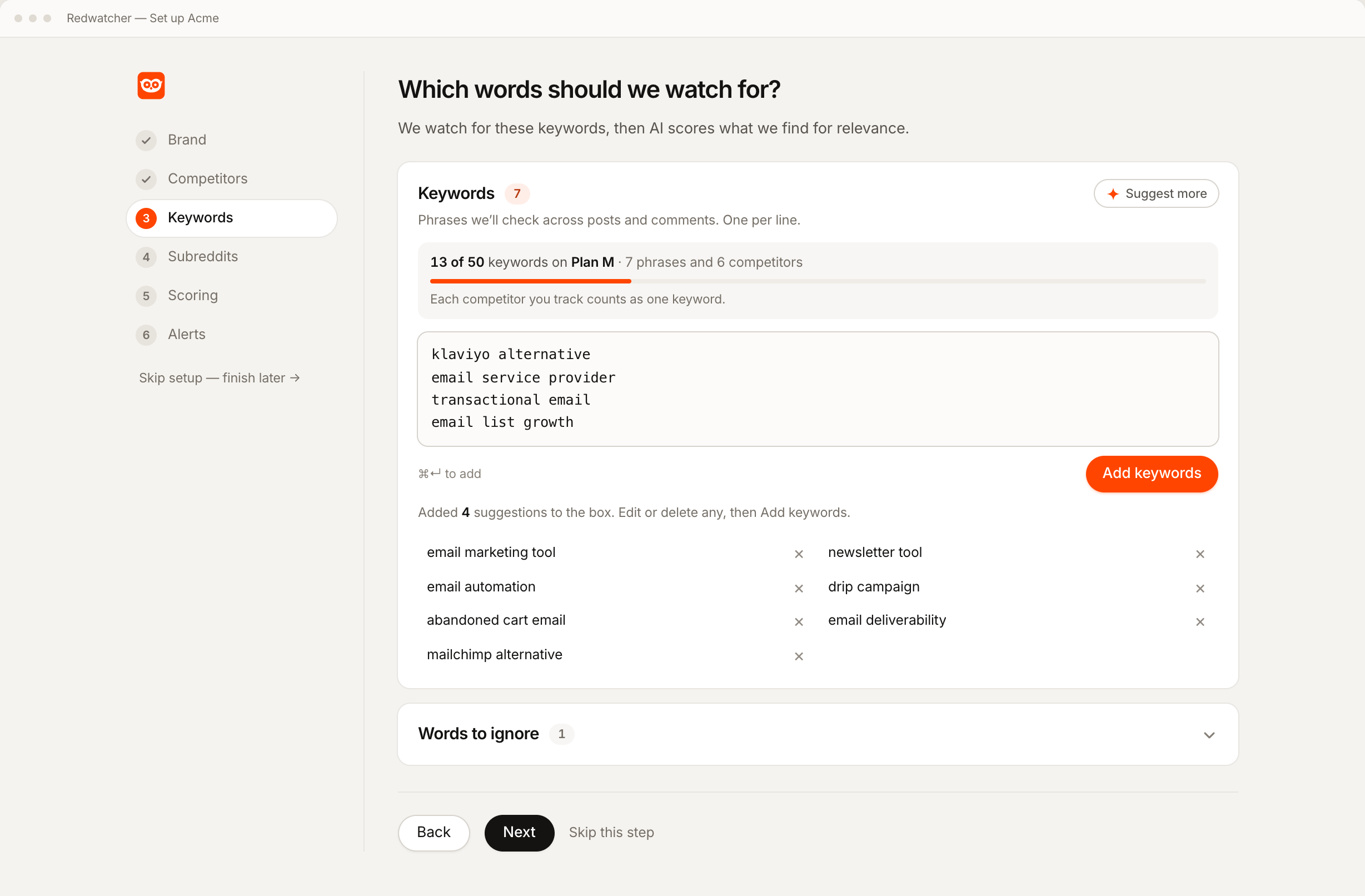
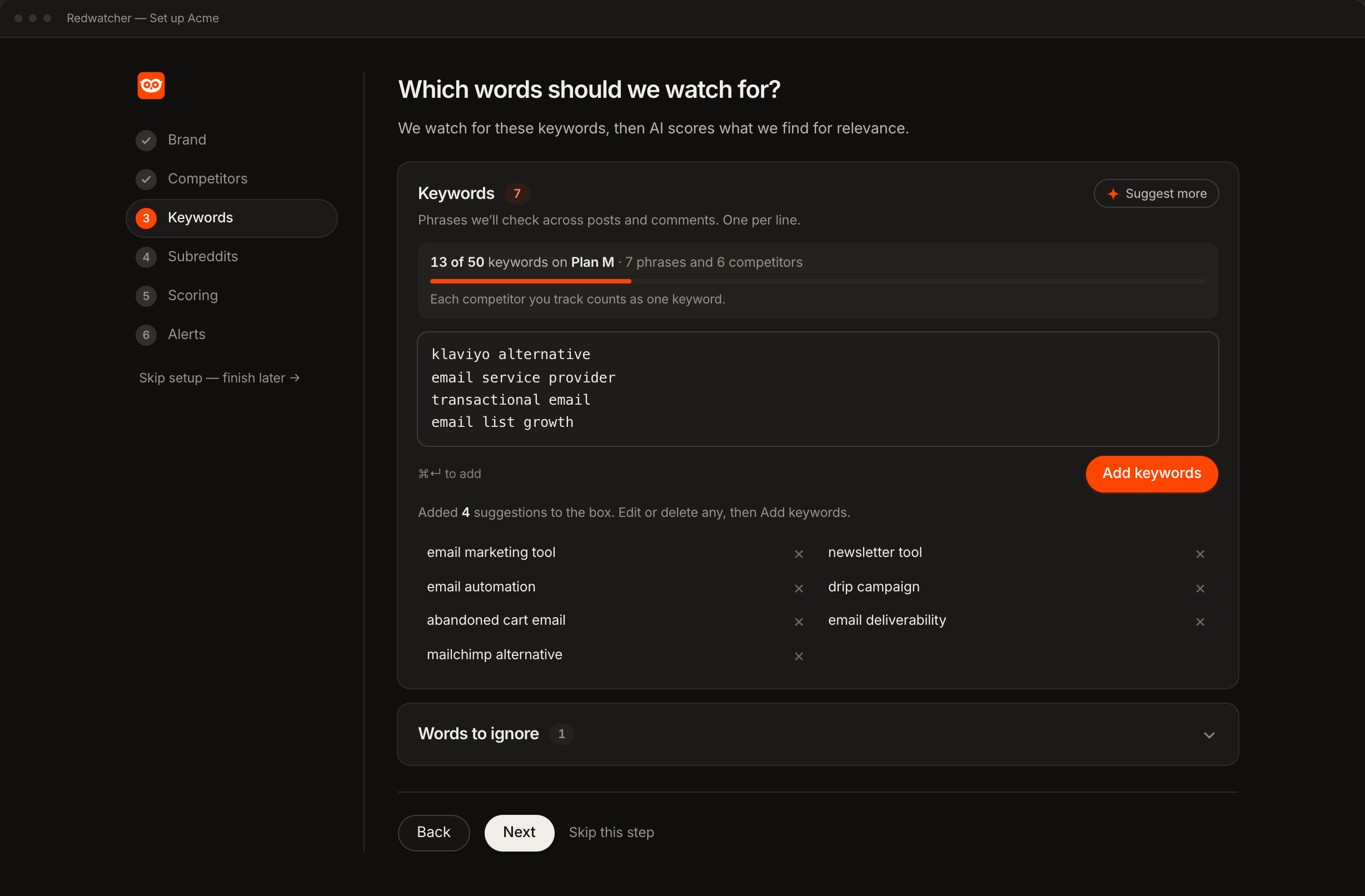
Add your brand and its spellings, your competitors, and the phrases people use for the problem you solve. A reply can name the tool someone uses, recommend one, or say what went wrong with one, so competitor names and plain phrases such as email deliverability are worth having.
The Keywords section of the Setup screen, the page where a project's keywords, subreddits, score and channels are set and later edited, has a line under the Keywords heading that reads "Phrases we'll check across posts and comments." Each phrase counts as one keyword, and every competitor you track counts as one keyword too. The allowance is 25, 50 or 100 keywords per project, depending on the plan. The Words to ignore panel underneath drops any match containing one of those words before it is scored, which helps when a keyword has a second meaning that shows up in casual replies.
Step 2: Choose the subreddits whose comments you want read
Keep the subreddits Setup suggests from your website, add the ones you already read, and remove the ones that do not fit. As you accept each one, Redwatcher checks that it exists on Reddit. Comments are read in every subreddit on the list, and nothing outside the list is read at all. A busy community can stay on the list, because only its threads that reach the score you set in the next step are sent.
Step 3: Set the score a thread must reach
Start at 70. The scorer is given the comment's text, the title of the thread it sits in, and the fact that it is a comment, and it returns a score from 0 to 100 with the reasons.
Write a rule or two in plain language, such as ignore job posts. When a score is wrong later, you say what was wrong and it becomes a rule, and every later match is judged against it. Matches under the score you set are not sent. They stay in the inbox, the screen in Redwatcher where every match is kept with its score, under the Skipped tab.
Step 4: Decide how a busy thread is alerted
Set How often in the Alerts section of the Setup screen. A popular thread can collect several comments that each use your keyword, which is what this setting is for.
| Choice on the Setup screen | What you receive |
|---|---|
| One alert per thread (the default) | You get an alert for the first match on a thread that reaches the score you set. Later matches on the same thread still appear in the inbox, and no further message is sent for it. |
| Every match | You get an alert for every match that reaches the score you set, including several on the same thread. |
One alert per thread suits someone who replies on Reddit, because you only need to hear about a thread once to reply in it. Every match suits someone following one long thread, such as an AMA, where each comment is its own question.
Step 5: Connect a channel and read a comment alert
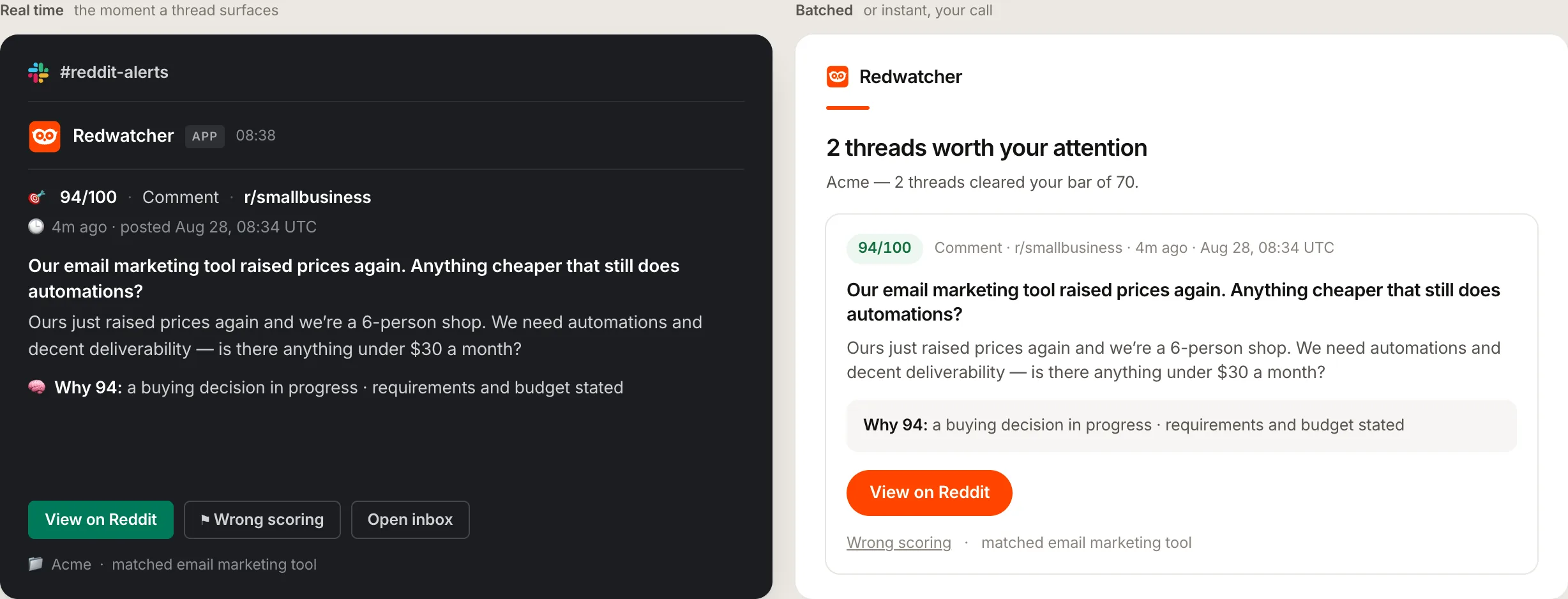
The alert can go to email, Slack, Telegram or a webhook. All four are on every plan. Slack, Telegram and the webhook get one message per thread. Email gets one message per check, carrying the threads from that check. A check is one read of a subreddit for new posts and comments.
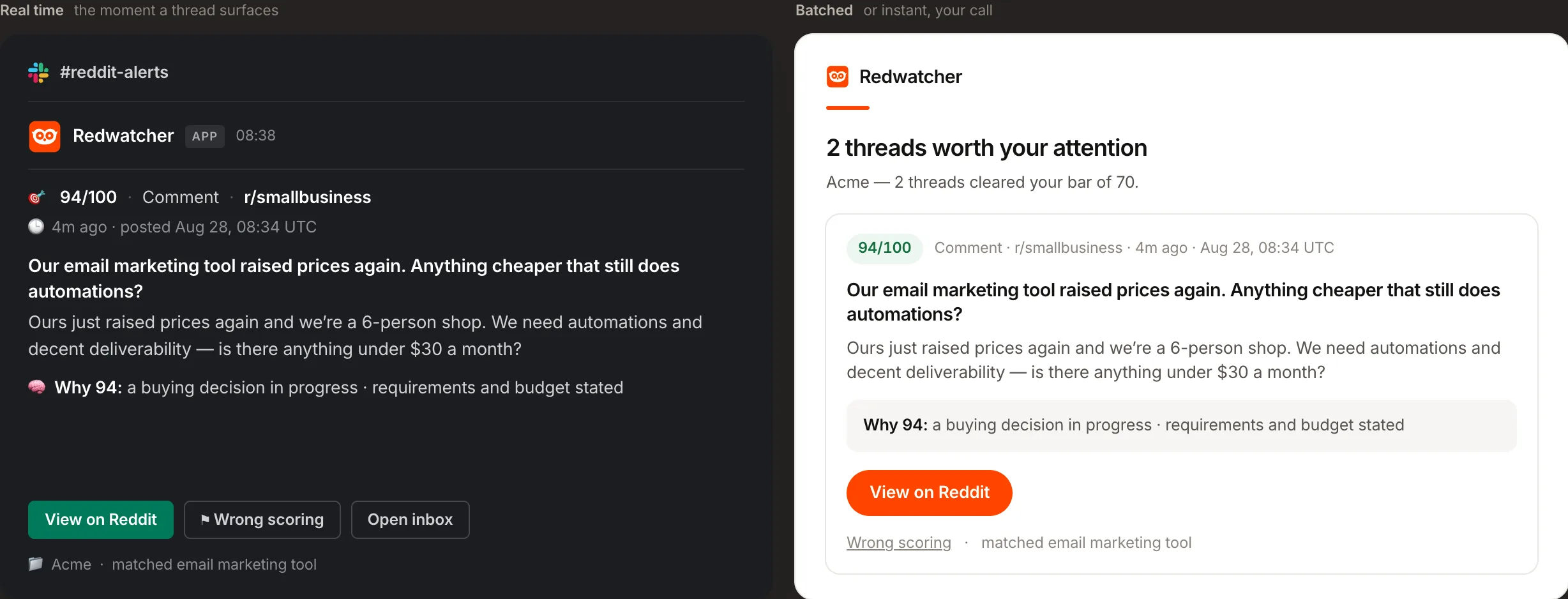
For a comment, the title is the title of the thread it sits in, and the text underneath is the comment. In Slack the message carries the score, the label, the subreddit, how long ago it was posted, the title, the matching text and a Why line giving the reasons for the score. Telegram carries up to 400 characters of the text, and email up to 380 characters on each card. The webhook sends a kind field holding post or comment. Email alerts are covered in full on Reddit alerts by email.
What a good first week of comment monitoring looks like
In a good first week, comment alerts come from comments written after you press Start monitoring, the button on the Setup screen that begins the checks. Until the first new match arrives, the inbox also shows up to three threads from the seven days before, in a block labelled Before you started, and those are not sent.
In the inbox, a line on each card says whether the match is in the post or in a comment, so a comment match is easy to tell apart. If comment matches pile up with low scores, one keyword is probably too broad for casual replies, and the words to ignore or a two-word phrase will narrow it.
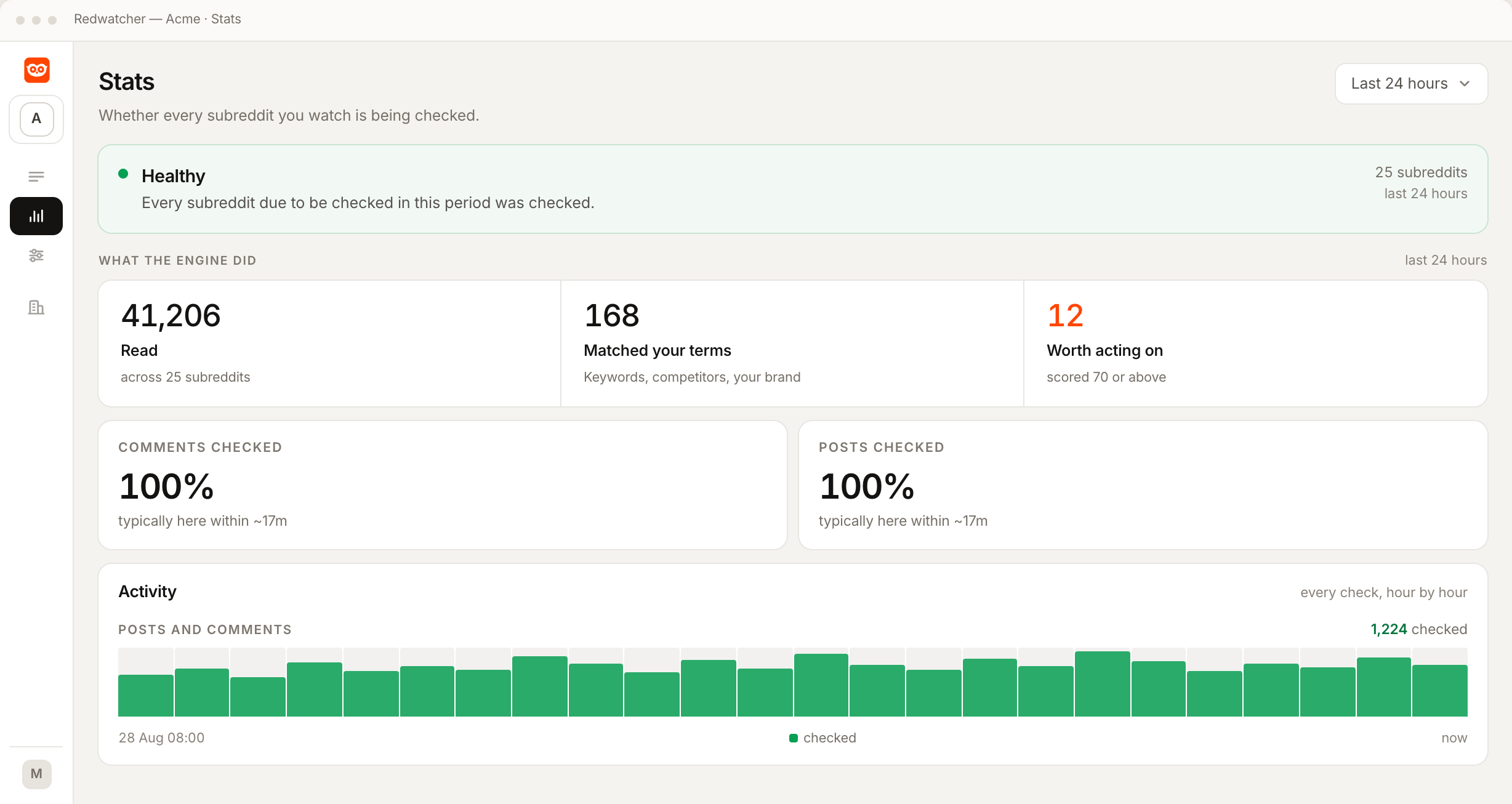
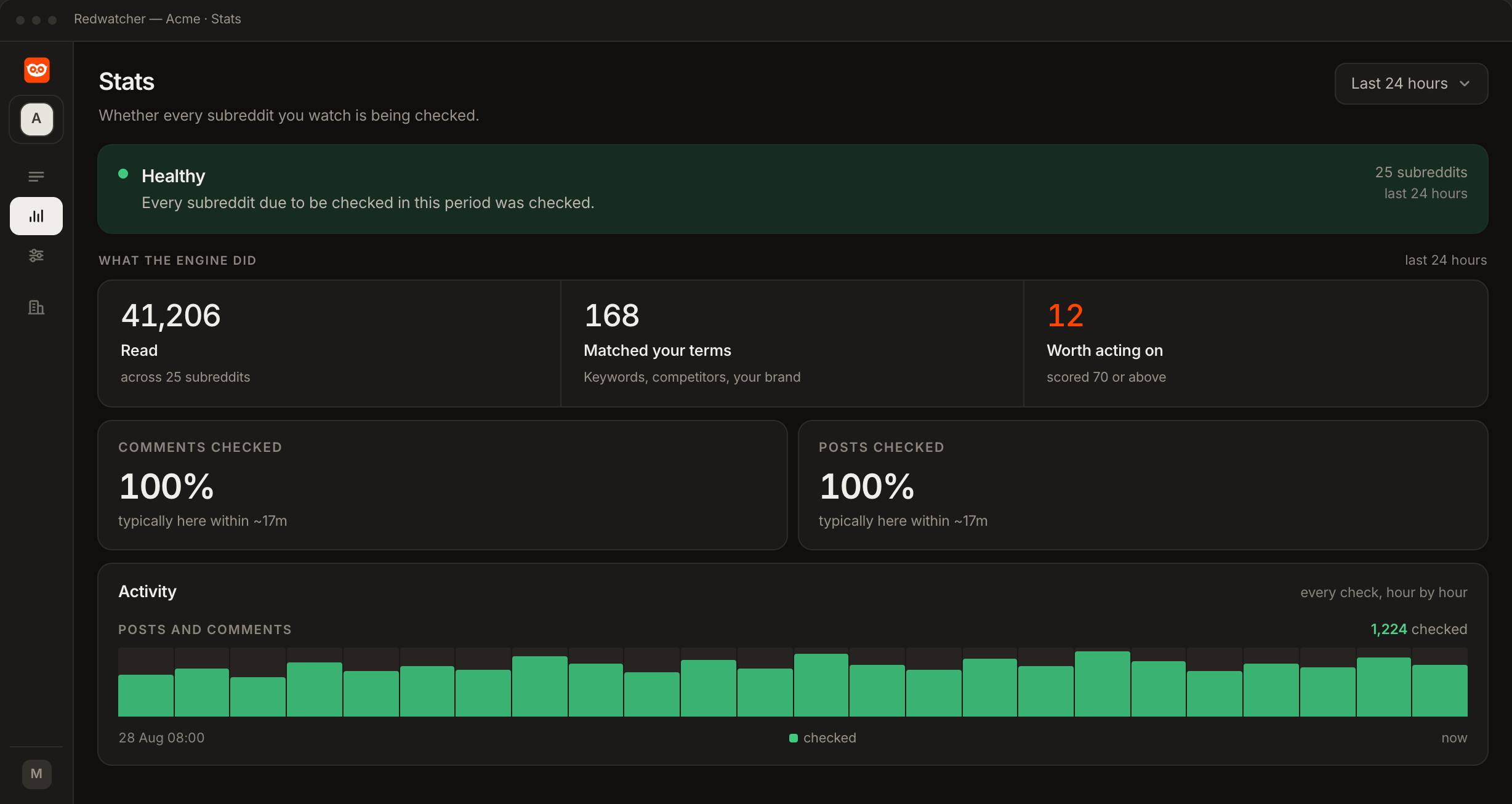
The Stats screen, one of the pages in the app, shows whether every subreddit due to be checked was checked, and it shows comments and posts separately.
Why are my Reddit comment alerts not arriving?
When no comment alert arrives, the keyword is usually only in the thread's title, the score is set too high, you were already sent an alert for that thread, or the subreddits are quiet. Check them in this order.
The keyword is only in the thread's title. Replies are matched on their own words, so that thread reaches you through the post, if the post reaches the score you set.
The score is set too high. Look at the Skipped tab in the inbox, and if useful comments are sitting there, set the score lower.
You were already sent an alert for that thread. That is the One alert per thread default from Step 4. Switch How often to Every match if you want each match on that thread that reaches the score you set.
The subreddits are quiet. If the Stats screen says every subreddit due to be checked was checked, a community with few comments will not produce many matches, whatever the keywords are.
RedwatcherReddit monitoring, every match scored
Start free Seven days, no card. From $29 a month after. Reddit keyword alerts
How much does it cost to monitor Reddit comments, and is there a free way?
Redwatcher has no free plan, and costs $29 a month per project for 25 keywords and 25 subreddits, $49 for 50 of each, and $89 for 100 of each, with a seven-day trial that takes no card. Comments are read on every plan at no extra charge. Every plan includes every feature, and adding team members costs nothing. The free route is opening each subreddit and reading the comments yourself. Prices from redwatcher.com/pricing, read on 3 October 2026.
How this guide was checked
Redwatcher wrote this guide about its own product. On 3 October 2026 we read the prices on redwatcher.com/pricing and Redwatcher's own pages on keyword alerts, subreddit tracking, keyword tracking and each alert channel. We checked how a comment is matched, scored and labelled in Redwatcher's own code for the Setup screen, the inbox and the alerts. We did not measure how long a comment takes to reach an alert, and this guide gives no figure for it. The screenshots are Redwatcher's own screens with example data.
Monitoring Reddit comments: questions people ask
Does Redwatcher read Reddit comments or only posts?
Redwatcher reads new comments as well as new posts in every subreddit you choose, on every plan, around the clock, multiple times every hour. Comments need no separate setting. Each comment that contains one of your keywords is scored from 0 to 100 with the reasons, the same as a post, and the alert says whether the match is a post or a comment.
Can I get an alert when my brand is mentioned in a Reddit comment?
Yes. Add your brand and its spellings in setup, and Redwatcher checks every new comment in the subreddits you choose for them. A comment that names your brand is scored from 0 to 100, and the threads that reach the score you set are sent to email, Slack, Telegram or a webhook, labelled as a comment.
Why did a comment on a thread about my keyword not send an alert?
A comment is matched on its own words. When the keyword is only in the thread's title, the replies under it are not matches, and the thread reaches you through the post when the post reaches the score you set. A comment can also be under the score you set, or be on a thread you were already sent an alert for, while How often is set to One alert per thread.
What does a Reddit comment alert show?
A Redwatcher comment alert shows the score out of 100, the word Comment, the subreddit, how long ago it was written, the title of the thread it sits in, the comment's text and a Why line with the reasons. Slack adds View on Reddit, Open inbox and Wrong scoring buttons, and with Wrong scoring you say what was wrong and it becomes a rule. The link opens the thread on Reddit.
Will a busy thread flood me with comment alerts?
A busy thread sends one alert by default. The How often setting on the Setup screen is set to One alert per thread, so later matches on the same thread go to the inbox with no further message. Choosing Every match sends each match that reaches the score you set, which suits someone following a single long thread such as an AMA.
How much does it cost to watch Reddit comments for keywords?
Watching Reddit comments for keywords on Redwatcher costs $29 a month per project for 25 keywords and 25 subreddits, $49 for 50 of each and $89 for 100 of each. Comments are included on every plan, and every project starts with a seven-day trial with no card. Prices read from redwatcher.com/pricing on 3 October 2026.
Reddit is a trademark of Reddit, Inc. Redwatcher is not affiliated with or endorsed by Reddit, Inc.