
Guide
How to build a subreddit list for your brand
Updated 3 October 2026
In short
Watch the subreddits where your buyers describe their problem, discuss your category and talk about the products they compare you with. Start from the list Redwatcher's setup suggests from your website, keep the ones Reddit confirms exist and are open to read, and after a week remove the ones that only send threads you skip.
Redwatcher is a Reddit monitoring tool. Tracks keywords, brand mentions and competitors across the subreddits you choose, scores every match for relevance, and alerts by email, Slack, Telegram or webhook around the clock. From $29/month per project. A webhook is a request sent to a URL you give it. A subreddit is one of Reddit's communities, such as r/smallbusiness, with its own posts and comments.
RedwatcherReddit monitoring, every match scored
 Redwatcher
Start free Seven days, no card. From $29 a month after. See pricing
Which subreddits should a brand watch?
A brand should watch three kinds of subreddit: the ones where people describe the problem you solve, the ones about your category, and the ones where people talk about the products they would compare with yours. Watching for your brand name alone finds the fewest threads, because people who have not heard of you cannot write your name.
A project is one set of keywords, subreddits, scoring rules (plain-language instructions saying what you want to hear about and what you do not) and alert channels, usually one brand or one client. A keyword is a word or phrase you want to hear about, and every competitor you track counts as one keyword. A match is a new post or comment in one of your subreddits that contains one of your keywords. A keyword can only produce a match in a subreddit on the project's list.
Take an invented example: a small app that helps Shopify store owners send marketing email.
| Kind of subreddit | What people write there | Example for the invented email app |
|---|---|---|
| Problem | Questions from people who have the problem and may not know a product exists | r/smallbusiness, r/Entrepreneur |
| Category | Discussion of the kind of product you sell, with recommendations and comparisons | r/emailmarketing, r/ecommerce |
| Competitor and platform | Talk among users of the products and platforms around yours | r/shopify |
Step 1: Find the subreddits where your buyers ask
Write a short list of subreddits in three groups: where your buyers describe the problem you solve, where people discuss your kind of product, and where users of your competitors and your platform talk to each other. For the problem group, think of how a customer described their situation before they found you, and where they would ask a stranger for help. For the category group, think of the communities where people swap advice about tools like yours. For the competitor group, think of the products a buyer compares you with and the platform your product runs on.
A competitor's own subreddit is where its users talk to each other. A reply that promotes your product is least welcome there, so treat it as a place to listen and learn what users of that product complain about.
In a general community where people post about anything, your keyword turns up in all its meanings, and most of them have nothing to do with you. Leave those off the first list and add them later only if a keyword is specific enough to mean one thing there.
Step 2: Start from the subreddits setup suggests
Give Redwatcher's setup your website address, and it suggests subreddits along with your keywords, your competitors and the spellings people use for each. Setup is the set of steps that create a project and choose its keywords, subreddits and scoring rules. Compare the suggestions with the list you wrote in Step 1. Keep the ones that fit one of the three groups, add the ones from your own list that are missing, and delete any suggestion you cannot place in a group.
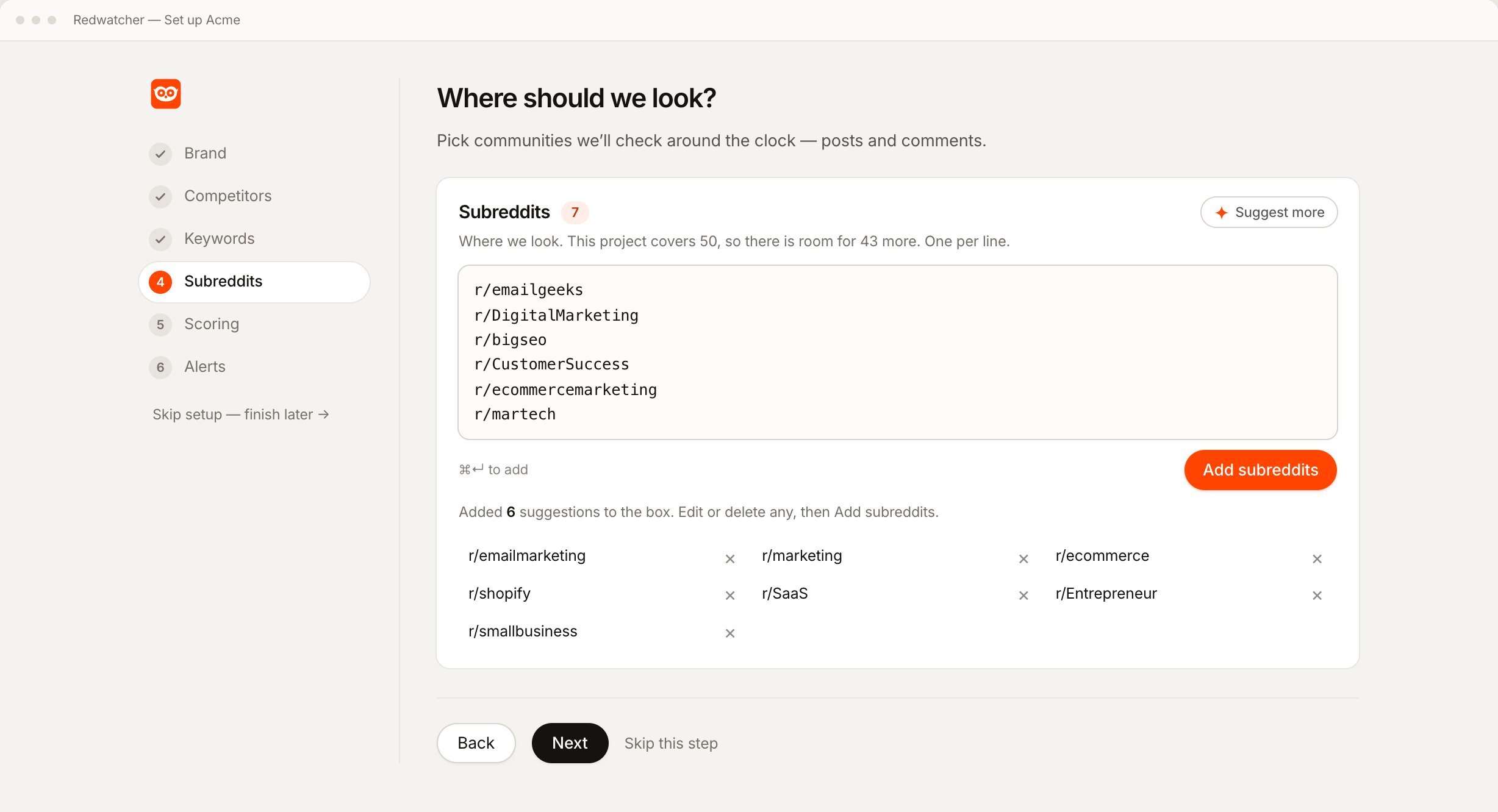
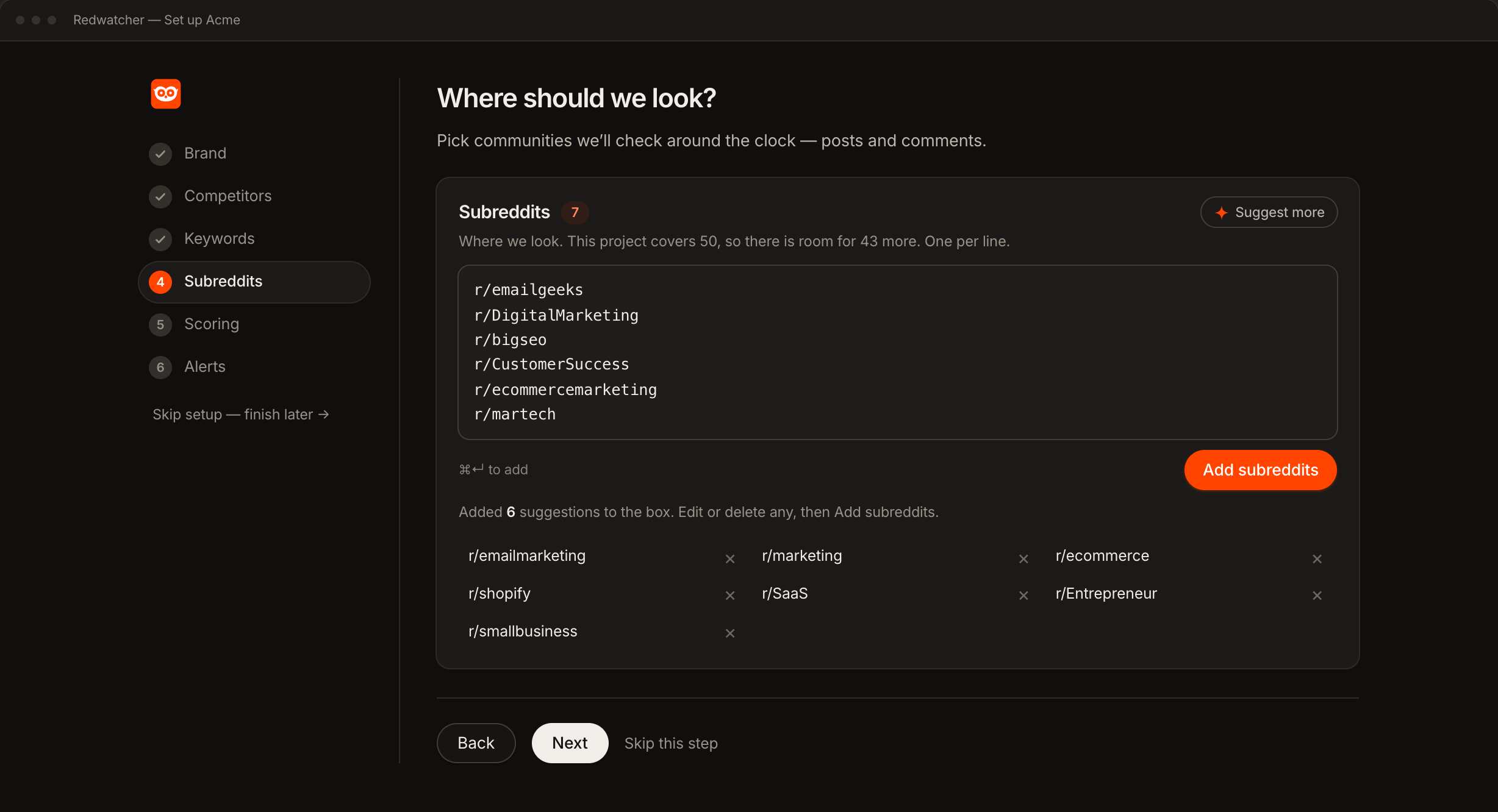
Setup also searches Reddit's own list of communities for your keywords, and it leaves out suggested communities where nobody has posted for a month. A Suggest more button proposes further ones. The Subreddits step takes one community per line, written as a name, as r/name or as the full address, and it shows how many subreddits the project covers and how much room is left.
Step 3: Accept each subreddit and read what Reddit says about it
Each subreddit is looked up on Reddit as you accept it, so the list holds only communities that exist and can be read. The line under the box says what happened to each one you added.
| What Reddit says | What setup says | What to do |
|---|---|---|
| The subreddit exists and can be read | It is added to the list | Nothing |
| Reddit has no such community | Not on Reddit (banned or never existed) | Check the spelling, then pick another |
| The community exists and is private | The subreddit is private, nothing to monitor | Pick an open community on the same subject |
| The text is not a subreddit name | Skipped as invalid | Write it as a name, r/name or the full address |
Step 4: Remove the subreddits that only add noise
Noise is threads that contain your keyword and are about something else. Redwatcher scores every match from 0 to 100 for how closely the thread fits what your scoring rules say you want, and sends only the threads that reach the score you set. The threads below that score stay in the app and are not sent, so a noisy subreddit costs you reading time in the app, and it also uses one of the subreddits the plan allows.
You remove a subreddit on the Setup screen, and Redwatcher stops reading it from then on. The Setup screen is where a project's keywords, subreddits and rules can be changed after setup.
When the noise from one subreddit has a single cause, such as job posts or a word that means something else there, a rule can fix it while you keep the community. When a score is wrong, you say what was wrong and it becomes a rule.
Step 5: Revisit the list after a week with the Stats screen and the inbox
After a week, keep every subreddit that appears under the inbox's Relevant tab, however few threads it sends. The Relevant tab holds the threads that reach the score you set. Remove or write a rule for any subreddit that appears only under Skipped, the tab for the threads below that score. A check is one read of a subreddit for new posts and comments, and Redwatcher runs them around the clock, multiple times every hour.
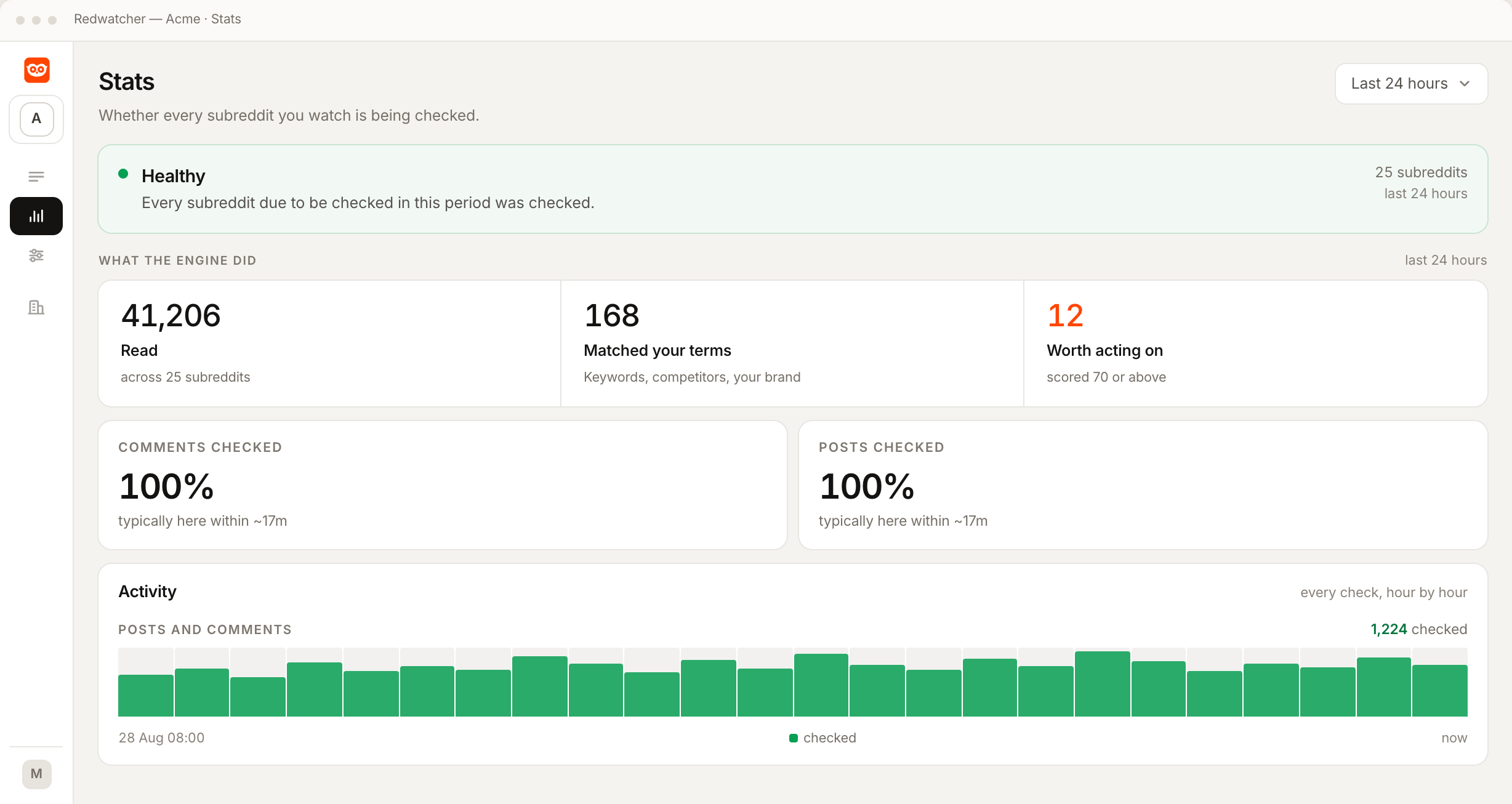
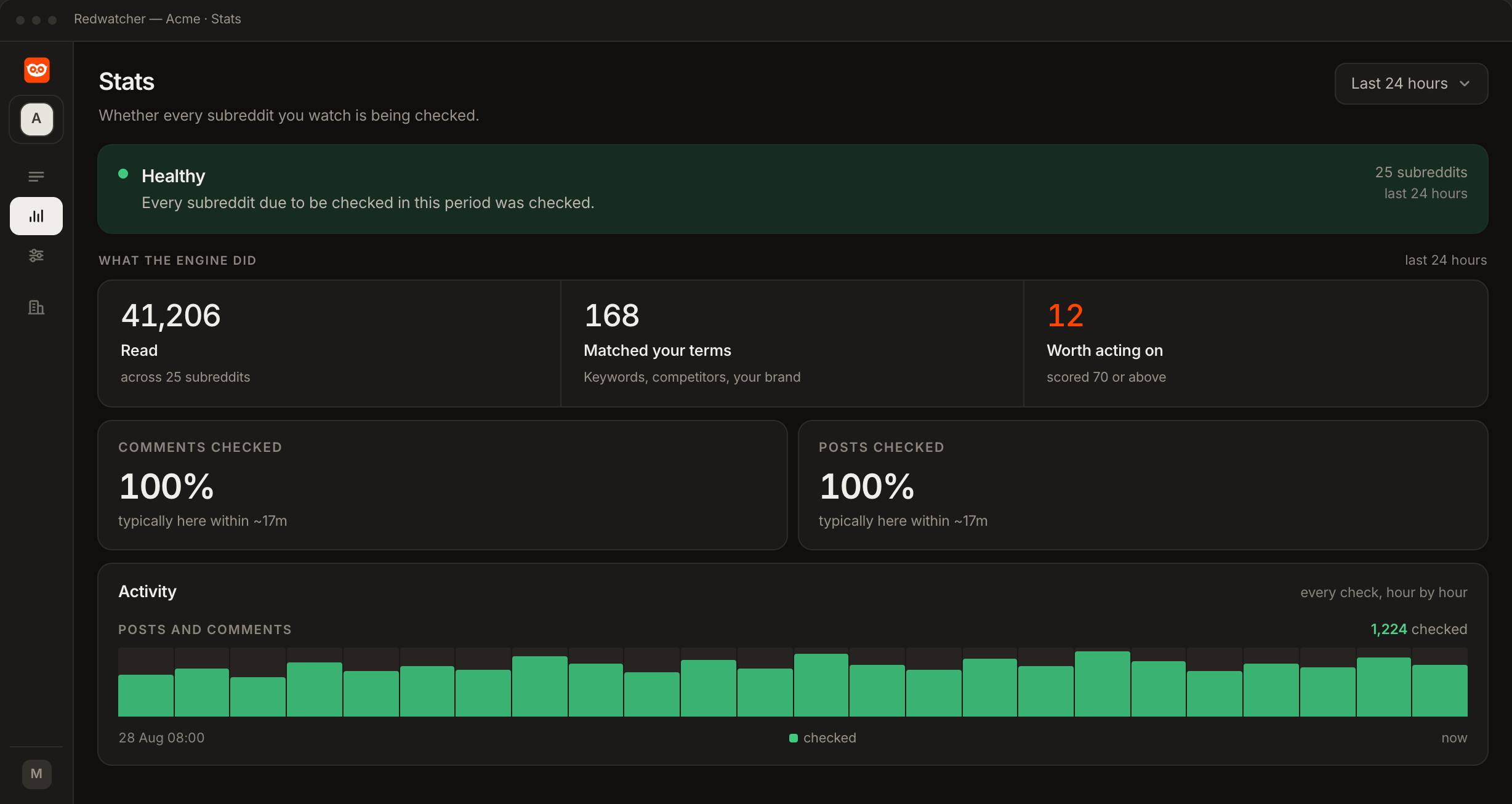
The Stats screen says whether every subreddit due to be checked was checked, and shows how much of each subreddit was read, comments and posts separately. It names any subreddit that has become private or is no longer on Reddit, so you can replace it. It also shows how many posts and comments were read, how many matched your keywords, and how many reached the score you set.
The inbox is the app screen that lists a project's matches, sent or skipped, each with its score, the reasons for it and the subreddit it came from. Read both tabs and note the subreddit on each thread.
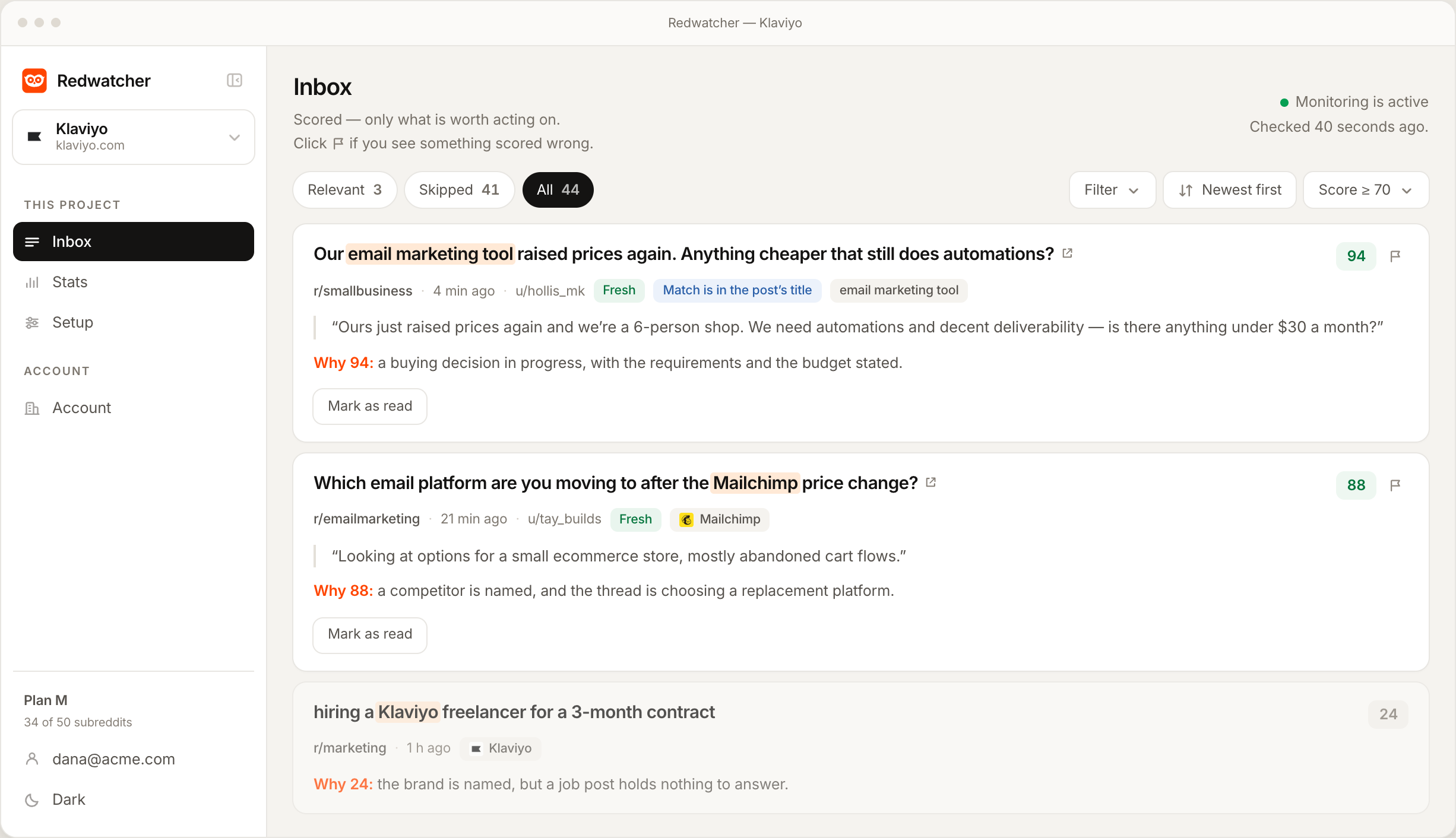
A subreddit that appears in neither tab has produced no match at all, which means either the community is quiet or your keywords are not the words people use there.
What should you know about your subreddit list after the first week?
After the first week you should know which subreddits sent threads that reach the score you set, which sent only threads below it, and which sent nothing. Day one is often quiet. Redwatcher reads new threads from the moment setup finishes, so the first matches come from threads posted after that.
For a subreddit that sent nothing, add the words people use there, or replace it with a busier community on the same subject.
What should you do when a subreddit list sends nothing useful?
Check the Stats screen first, then widen the keywords or the list, write a rule, or remove the subreddit, depending on whether nothing arrives from the whole list, one subreddit sends mostly skipped threads, or the list is full.
Nothing arrives from the whole list. Open the Stats screen and confirm the subreddits are being checked. If they are, the list may lean too far toward small communities, or your keywords may only be your brand name. Add a category subreddit and the phrases people use for the problem.
One subreddit sends mostly skipped threads. A keyword there means something else, or the community is a general one where people post about anything. Write a rule for the cause, or remove the subreddit.
The list is full. Remove the communities that only send skipped threads before moving to a larger plan.
RedwatcherReddit monitoring, every match scored
Start free Seven days, no card. From $29 a month after. How the subreddit tracker works
What does watching a list of subreddits cost, and is there a free way?
Redwatcher costs $29 a month per project for 25 subreddits and 25 keywords, $49 for 50 of each, and $89 for 100 of each, and every project starts with a seven-day trial that takes no card. A large subreddit costs the same to watch as a small one, and there is no charge per mention. Every plan includes every feature, with no limit on how many team members you add. Redwatcher has no free plan, so the free way to watch a list of subreddits is to open each one yourself and read its new posts and comments. Prices from redwatcher.com/pricing, read on 3 October 2026.
How to get Reddit notifications for keywords covers the channels, and How to set up Reddit alerts covers the whole setup.
How this guide was checked
Redwatcher wrote this guide about its own product. On 3 October 2026 we read the prices on redwatcher.com/pricing and checked what the Subreddits step, the Stats screen and the inbox show against Redwatcher's own code. The screenshots are Redwatcher's own screens with example data. The email app in the table is invented, and the subreddits named are real public communities chosen as examples. We did not open those subreddits for this guide, and nothing here describes their size, their activity or their rules.
Building a subreddit list: questions people ask
How many subreddits should a brand monitor?
A brand should monitor as many subreddits as its buyers use, within the plan: 25, 50 or 100 per project on Redwatcher, at $29, $49 or $89 a month. Start with the communities from all three groups, the problem, the category and the competitors, and after the first week keep the ones that sent threads that reach the score you set. Communities that only send skipped threads can then be removed to make room.
Should I monitor my competitor's subreddit?
Monitoring a competitor's subreddit shows what its users ask for and complain about, and Redwatcher scores those threads like any other match. Replying there with a pitch for your own product is the least welcome thing you can post in that community. Treat it as a place to listen, and answer the same questions when buyers ask them in the problem and category subreddits.
What happens if I add a subreddit that is private or banned?
Redwatcher looks up every subreddit on Reddit as you accept it. A community Reddit does not have, because it was banned or never existed, is reported as not on Reddit and is not added. A private community is reported as private, with nothing to monitor. If a subreddit on your list becomes private later, the Stats screen names it and says it cannot be checked.
Can I add a subreddit that setup did not suggest?
Any public subreddit can be added on the Subreddits step of setup, or later on the Setup screen, one per line, written as a name, as r/name or as the full address. Redwatcher looks it up on Reddit as you accept it. Setup's suggestions are a starting list drawn from your website, and the communities you already read belong on the list too.
Does a big subreddit cost more to monitor than a small one?
A big subreddit costs the same to monitor on Redwatcher as a small one. A project's price is set by how many subreddits and keywords its plan holds: 25 of each for $29 a month, 50 for $49 and 100 for $89. There is no charge per mention, and every subreddit on the list is checked on the same schedule, around the clock, multiple times every hour.
How do I tell which subreddit is sending noise?
Redwatcher's inbox shows the subreddit beside every match, with its score and the reasons. The Relevant tab holds the threads that reach the score you set, and the Skipped tab holds the rest. A subreddit that appears only under Skipped after a week is sending noise. Remove it on the Setup screen, or write a rule if one cause explains the skipped threads.
Reddit is a trademark of Reddit, Inc. Redwatcher is not affiliated with or endorsed by Reddit, Inc.