
Guide
How to monitor a subreddit for new posts
Updated 3 October 2026
In short
To hear about the new posts in one subreddit that concern you, put that subreddit in a Redwatcher project with your keywords. Reddit cannot filter a community by a word. Redwatcher reads that subreddit's posts and comments around the clock and sends the matching threads that reach the score you set, not every new post.
Redwatcher is a Reddit monitoring tool. Tracks keywords, brand mentions and competitors across the subreddits you choose, scores every match for relevance, and alerts by email, Slack, Telegram or webhook around the clock. From $29/month per project. A subreddit is one of Reddit's communities, such as r/smallbusiness, with its own posts and the comments under them. A project is one set of keywords, subreddits, a score and alert channels, and each project has its own price. A project can watch a single subreddit.
RedwatcherReddit monitoring, every match scored
 Redwatcher
Start free Seven days, no card. From $29 a month after. See pricing
Can Reddit notify you of new posts in a subreddit?
Reddit can notify you about replies to your own posts and about activity in a subreddit you have joined, but it cannot tell you when a post or comment in that subreddit contains a word you chose.
| You want to know when… | Reddit itself | Redwatcher |
|---|---|---|
| Someone replies to your post or comment | Yes | No |
| There is activity in a community you have joined | Yes, from your Reddit notification settings | No |
| A post or comment in that community contains your keyword | No | Yes, for the threads that reach the score you set |
| A match comes with a score and the reasons for it | No | Yes, from 0 to 100 |
Redwatcher only reads the community, and you write any reply yourself. Redwatcher also does not send every new post in a subreddit.
Step 1: Put the one subreddit on the project's list
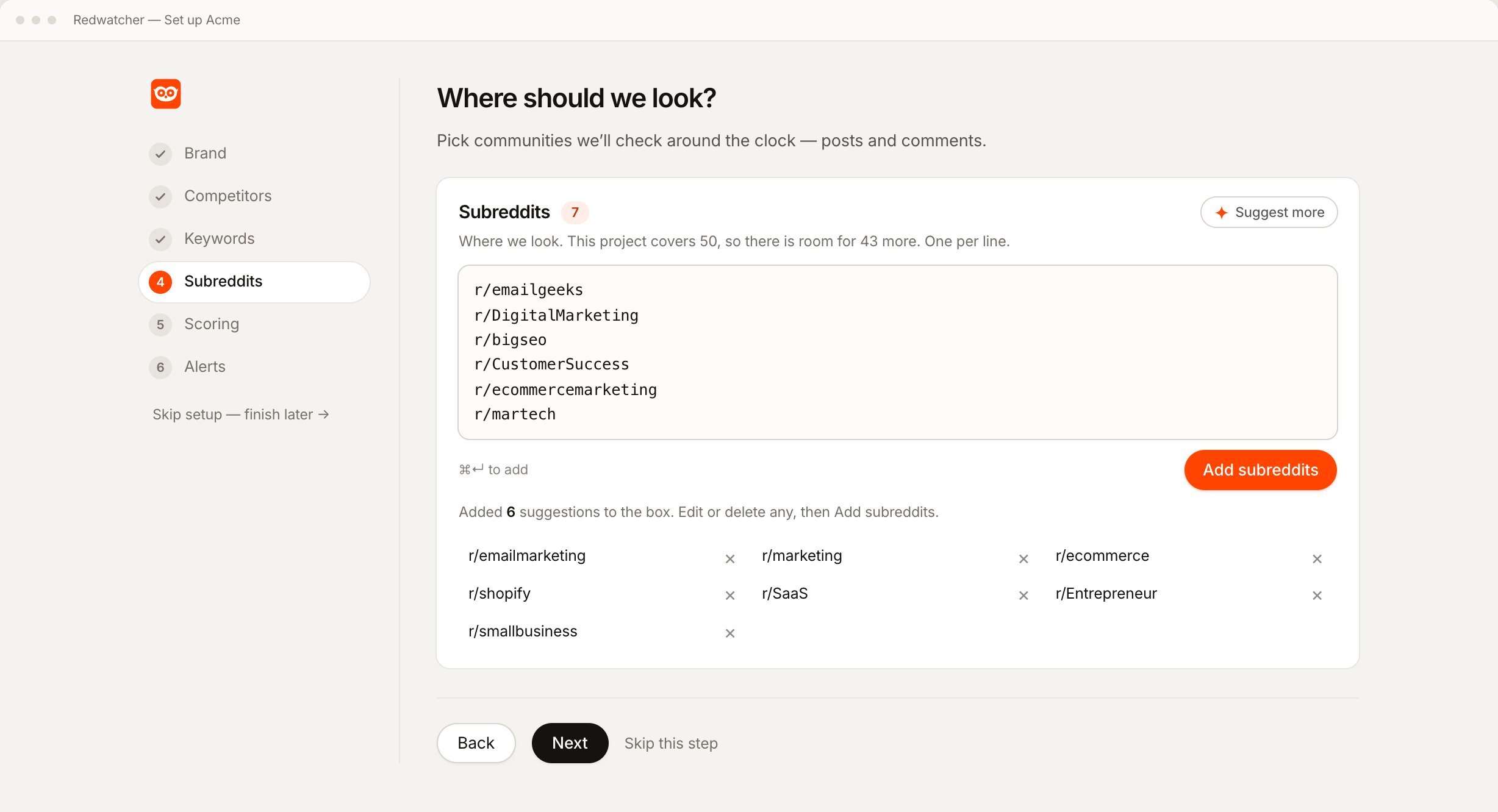
To watch a single community, type its name in the Subreddits step of setup, the steps Redwatcher walks you through when you create a project, and remove every other subreddit there. The step takes one community per line, as a name, as r/name or as the full address. Setup also proposes subreddits from your website address, and if the one you want is not proposed, the Suggest more button offers further subreddits.
Each subreddit is checked against Reddit as you accept it, so the list holds a community that exists and is still active. A project then reads nothing outside that list, however well a thread elsewhere would match.
Step 2: Choose the words that matter in that subreddit
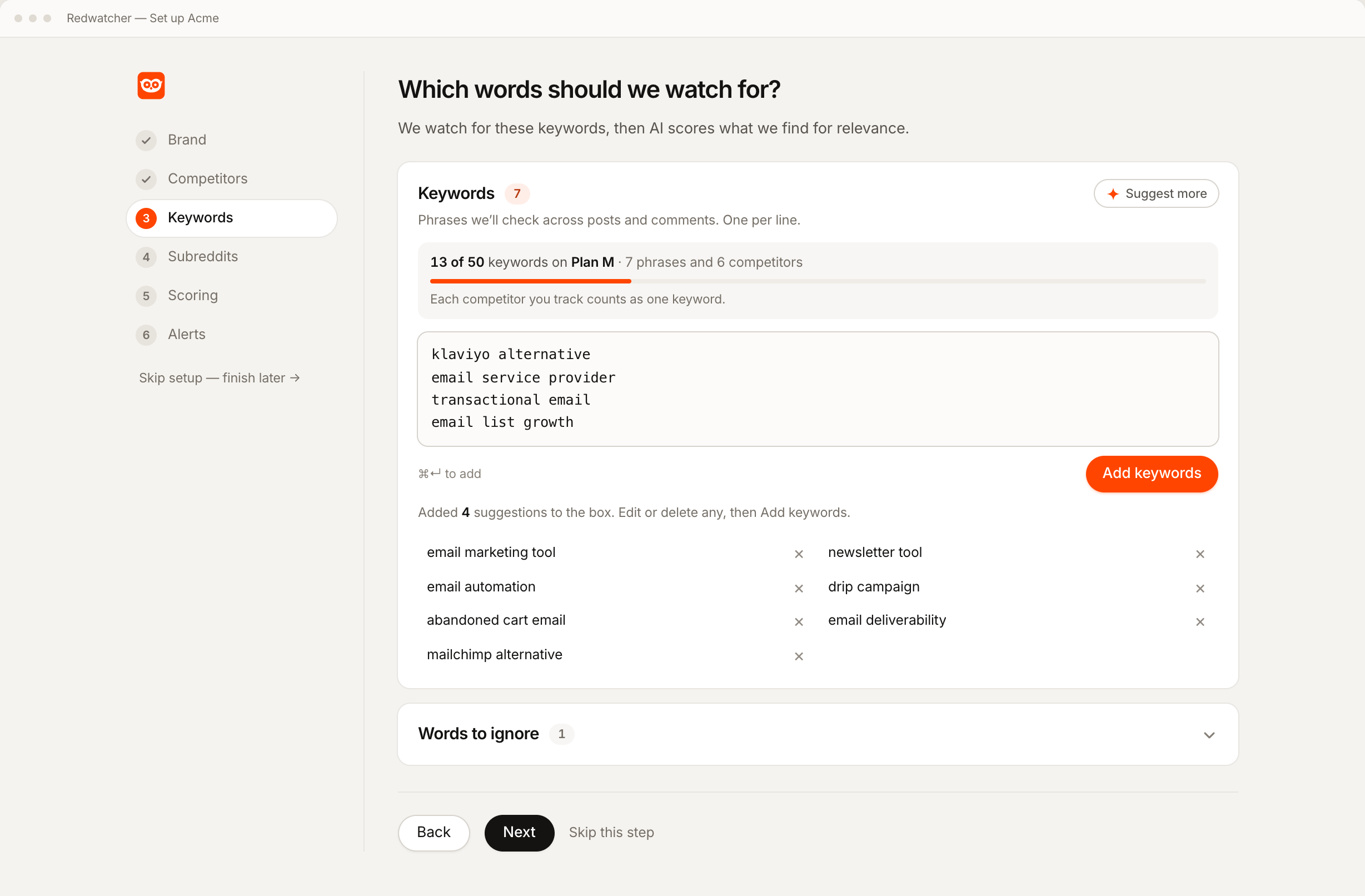
Add your brand and the spellings people use for it, your competitors, and the phrases people write when they have the problem you solve. A match is a new post or comment in your subreddit that contains one of those words. Every keyword is checked in posts and in comments, so a mention deep in a reply is found the same way as one in a post title.
Setup suggests all three groups from your website, so you edit a list instead of writing one. Each competitor you track counts as one keyword against the plan's allowance. A list of words to ignore sits under the keyword box, and anything containing one of them is not scored and does not reach the inbox, the list in the app where every match is kept with its score. The panel's own examples are hiring, salary and coupon. Keep that list short, because one common word on it drops every thread that contains it. Reddit keyword alerts covers phrases, spellings and words to ignore in full.
Step 3: Set the score a thread must reach
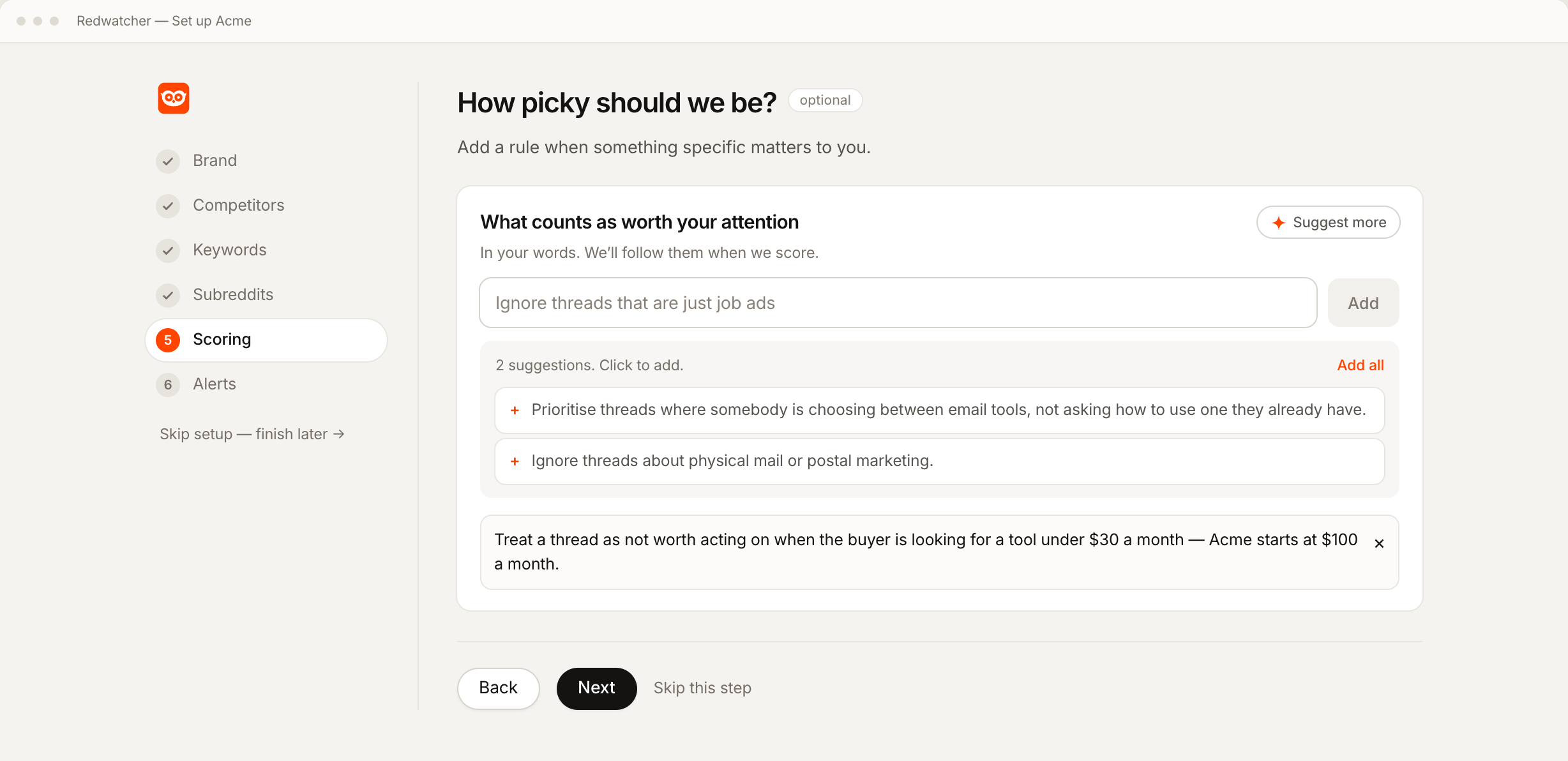
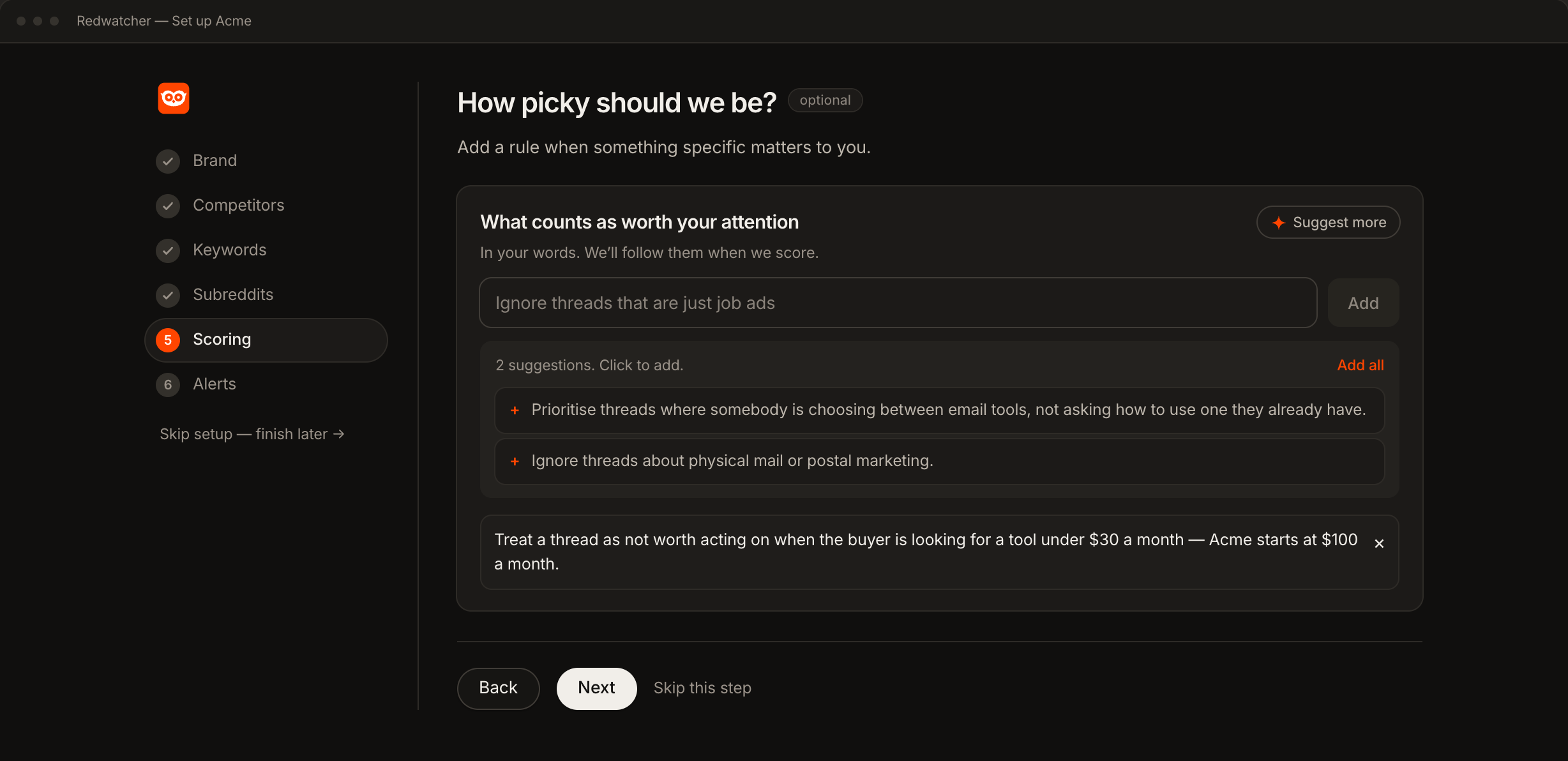
Start at 70. Every match is scored from 0 to 100 for how closely the thread fits what you want to hear about, with the reasons beside the number, and only the threads that reach the score you set are sent. A match below the score stays in the inbox, and it is counted there.
In a single busy subreddit, a broad keyword can match many threads that have nothing to do with you. The score is what keeps those out of your alerts without removing the keyword. Write a rule or two in plain language, such as ignore job posts. A rule is a sentence every match is scored against, so with that one a job post scores low. Setup suggests more rules from your site. When a score is wrong later, you say what was wrong and it becomes a rule.
Step 4: Connect a channel and send a test
Connect one channel on the Setup screen, the page in the app that holds a project's keywords, subreddits, score and channels, then press its test button. Slack connects with Add to Slack, Telegram with Connect Telegram and then Start, and email with an address. A webhook sends each thread that reaches the score you set as data to a URL on your own system, and you connect it by pasting that URL. All four are on every plan. The test button sends a real message, so you know the channel works before a real thread arrives.
| Channel | What arrives |
|---|---|
| Slack | One message per thread, in the channel you pick |
| Telegram | One message per thread, in the chat with the Redwatcher bot |
| Webhook | One message per thread, as data at your URL |
| One message per check, carrying the threads from that check |
A check is one pass over your subreddit, and Redwatcher runs them around the clock, multiple times every hour. Median freshness is about 15 minutes. By default a thread is sent once, so a later comment that matches in a thread already sent is not sent again.
What should the first week of watching one subreddit look like?
Day one is often quiet. Redwatcher reads new threads from the moment setup finishes, so the first alerts come from posts and comments written after that.
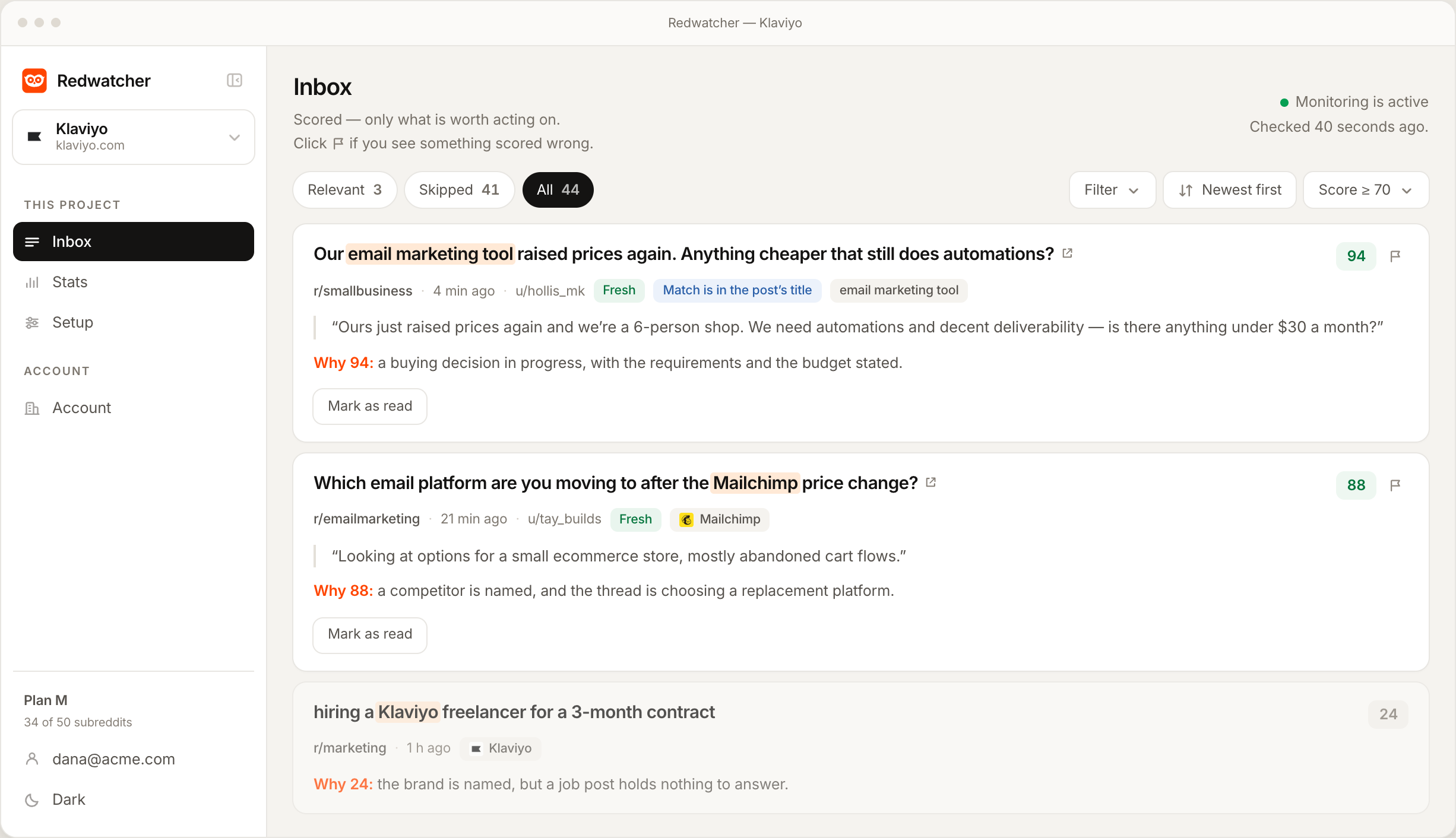
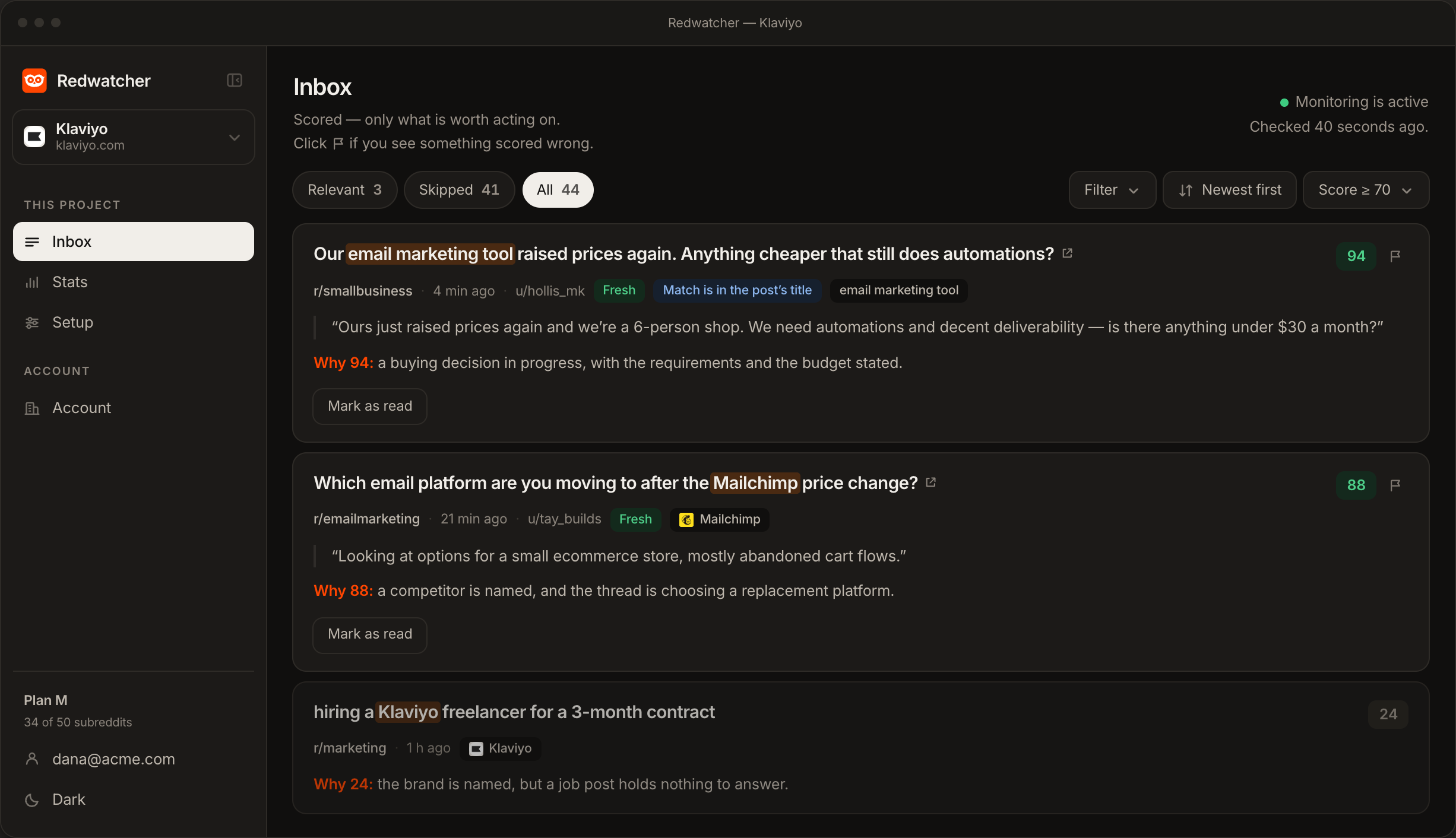
Over the next days, open the inbox as well as your alerts. The matches below the score are there with their reasons, and reading a few shows whether the score is too strict or a keyword is too broad.
Each time you say what was wrong with a score, the rule it becomes is listed on the Setup screen, and you can edit it there by hand. If the community you picked turns out to bring nothing useful, swap it for another on the same screen.
Why are no alerts arriving from the subreddit?
When nothing arrives, the cause is usually one of four things: the subreddit is quiet, the keywords are too narrow, the score is set too high, or the channel is not connected. Check them in that order.
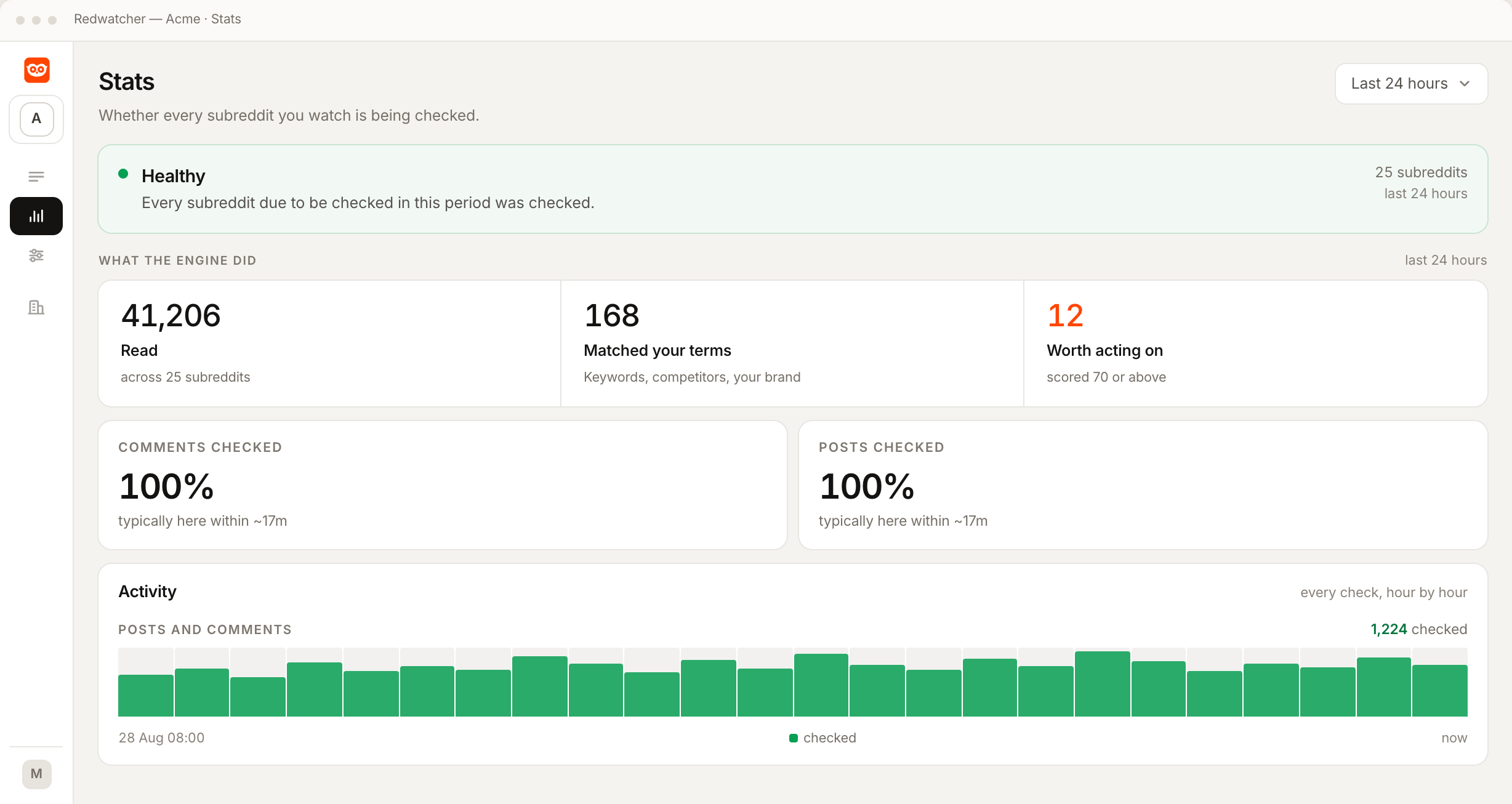
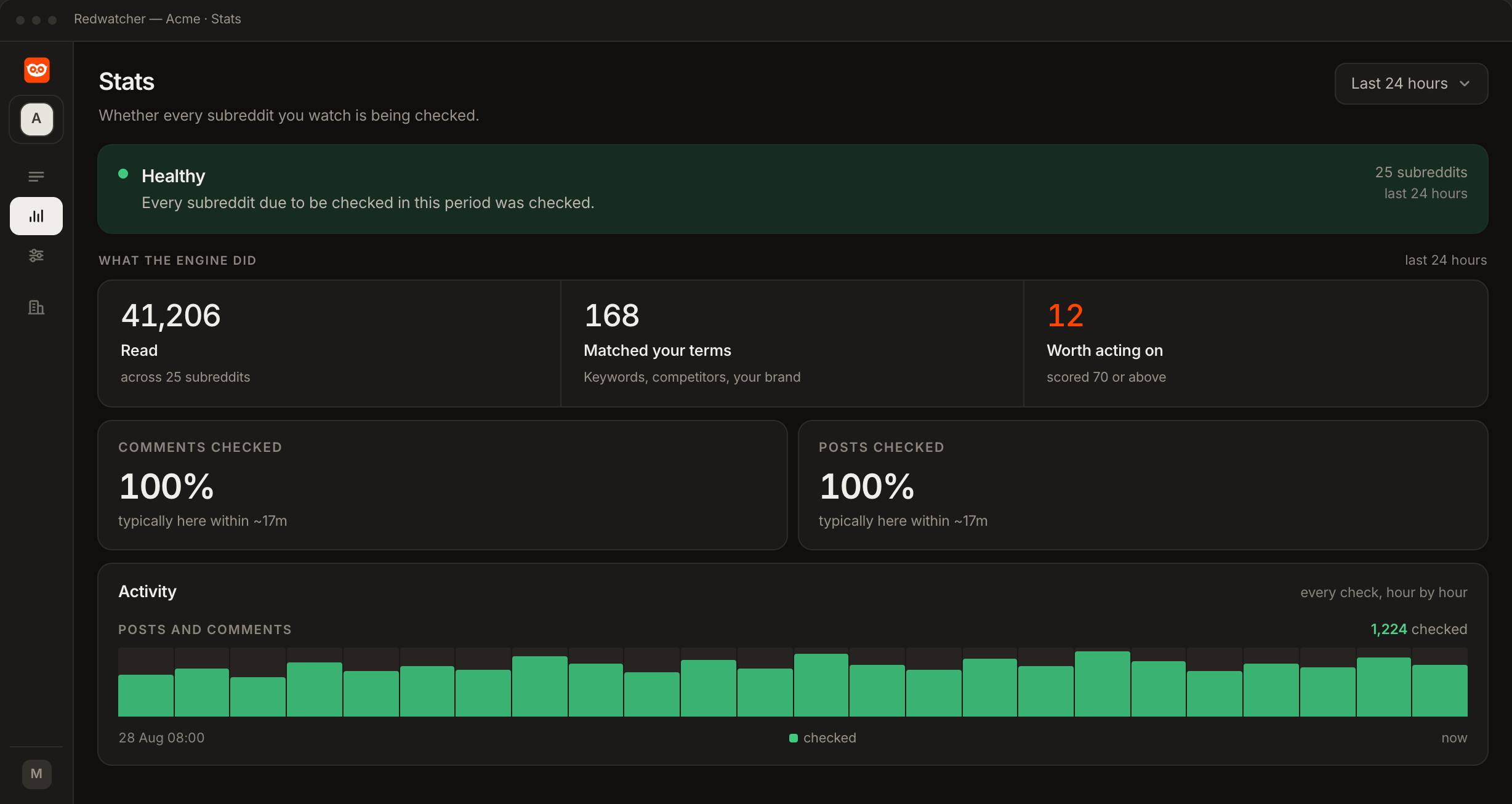
The subreddit is quiet. The Stats screen in the app shows how much of the subreddit was read, with comments and posts counted separately, and every check, hour by hour. A community with few posts a day will not produce many matches, whatever the keywords are.
The keywords are too narrow. A new brand gets few mentions. Add the phrases people use for the problem, which they write long before they know your name.
The score is set too high. At 90, only threads that fit what you described almost exactly are sent. Look at what is waiting in the inbox below the score, then set it to 70.
The channel is not connected. Press the channel's test button on the Setup screen. If no test message arrives, connect the channel again. If the test arrives and the alerts do not, delivery works and the cause is one of the three above.
RedwatcherReddit monitoring, every match scored
Start free Seven days, no card. From $29 a month after. The full setup guide
What does watching one subreddit cost, and is there a free way?
Watching one subreddit with Redwatcher costs $29 a month for the project, the smallest plan, which allows 25 keywords and 25 subreddits. The $49 plan allows 50 of each and the $89 plan 100 of each. A large subreddit costs the same to watch as a small one, and there is no charge per mention. Every plan includes every feature, with no limit on how many team members you add, and every project starts with a seven-day trial that takes no card. Redwatcher has no free plan, so the free way is reading the subreddit yourself. Prices from redwatcher.com/pricing, read on 3 October 2026.
How this guide was checked
Redwatcher wrote this guide about its own product. On 3 October 2026 we tried to read Reddit Help's articles on notifications and on joining a community, and the site refused the request, so what this guide says about Reddit's own notifications repeats what How to get Reddit notifications for keywords recorded from Reddit Help on 3 October 2026 and stops there. That guide read Reddit Help's How do I opt in or out of notifications? and How do I turn off trending notifications? on 3 October 2026, and this guide repeats those two articles and nothing else about Reddit's notifications. We read the prices on redwatcher.com/pricing the same day. We did not open Reddit's apps or its website settings. The screenshots are Redwatcher's own setup, inbox and Stats screens with example data, and none of them is a project watching a single subreddit.
Watching one subreddit: questions people ask
Can Redwatcher send every new post in a subreddit?
Redwatcher does not send every new post in a subreddit. A post or comment is a match when it contains one of your keywords, your brand or a competitor, and only the threads that reach the score you set are sent. Matches below the score stay in the inbox with their reasons. Reddit's own notifications cover replies to your posts and activity in communities you have joined.
Does monitoring one subreddit include the comments?
Comments are read as well as posts, on every plan. Every keyword is checked in the new posts and the new comments of the subreddit you chose. A match in a comment carries the comment with the matched word highlighted, the score and the reasons, and a link to the thread, the same as a match in a post. By default a thread is sent once.
Can I get alerts for one subreddit only?
Yes. Keep only that subreddit in the project, and only threads posted there can be sent. Each keyword is then matched in that subreddit's new posts and new comments, and each match is scored from 0 to 100. The threads that reach the score you set go to email, Slack, Telegram or a webhook, and the rest stay in the inbox.
How quickly will I hear about a new post in the subreddit?
Redwatcher checks the subreddit around the clock, multiple times every hour, on every plan, and median freshness is about 15 minutes. A thread that reaches the score you set is sent as soon as the check that found it has scored it. Slack, Telegram and the webhook get one message per thread. Email gets one message per check, carrying the threads from that check.
Can I add a second subreddit later?
Subreddits are added or removed at any time on the Setup screen, one per line, as a name, as r/name or as the full address. A subreddit you add is checked against Reddit as you accept it, and one you remove stops being read. The $29 plan holds up to 25 subreddits, and every keyword is checked in every subreddit on the list.
Is there a free way to monitor a subreddit for keywords?
Reddit has no keyword filter on a community's posts, so the free way is reading the subreddit yourself. Redwatcher has no free plan. A project starts with a seven-day trial that takes no card, then costs $29 a month for 25 keywords and 25 subreddits, $49 for 50 of each, and $89 for 100 of each. Prices read on redwatcher.com/pricing on 3 October 2026.
Reddit is a trademark of Reddit, Inc. Redwatcher is not affiliated with or endorsed by Reddit, Inc.